We use some cookies to make this website work. With your permission we would also like to use cookies that help us understand how the website is used and measure our advertising. You can accept or reject these, or choose which ones to allow.
Welcome to this week’s Five Minutes on Friday digest! As we settle further into the autumn term, we have a packed edition featuring upcoming local EdTech events, powerful professional development opportunities, and essential online safety guidance for your school community. Grab a quick coffee and take five minutes to get up to speed with what you need to know for Friday, 18th September 2026.
🍏 1. Apple RTC Conference: AI & Accessibility in the Classroom
Transform your classroom this term with cutting-edge, inclusive technology strategies. The South Tyneside Apple Regional Training Centre, in partnership with Academia, invites you to our FREE Autumn Conference.
When: Thursday, 22nd October 2026
Where: The Word, South Shields
Details: Enjoy a full day of professional development, network over a complimentary lunch, and take home an exclusive goody bag packed with resources.
Places are limited so book early to avoid disappointment. 👉 RSVP: Please refer to your official event flyer to book your place.
Help your KS3 students think critically about what they see and do online with quick, interactive quizzes.
From spotting misinformation with Find the Fake, to tackling online hate and gender stereotypes with The Online Together Project (created in partnership with Samsung Electronics), these resources are designed to get students talking, thinking, and questioning what they encounter online, with minimal prep for teachers.
👉 Explore the quizzes and discover more free online safety resources for schools here: The Online Together Project
Thank you for reading this week’s edition of Five Minutes on Friday! Stay tuned for more EdTech updates, classroom ideas, and leadership tips in next week’s issue.
Please share this newsletter with colleagues in your setting!
Welcome to Issue 8 of your weekly briefing on all things AI. As artificial intelligence continues to reshape the educational landscape, our mission is to ensure South Tyneside schools stay ahead of the curve.
Whether you are an AI novice or an AI expert, this is your weekly home for the tools and digital principles defining the future of education. Each week, we’ll deliver essential updates curated to reduce teacher workload and enhance learning across our South Tyneside community as safely as possible.
🛠️ AI Champions Work Group
Haven’t nominated an AI Champion for your school yet? Click the link below to access our nomination form:
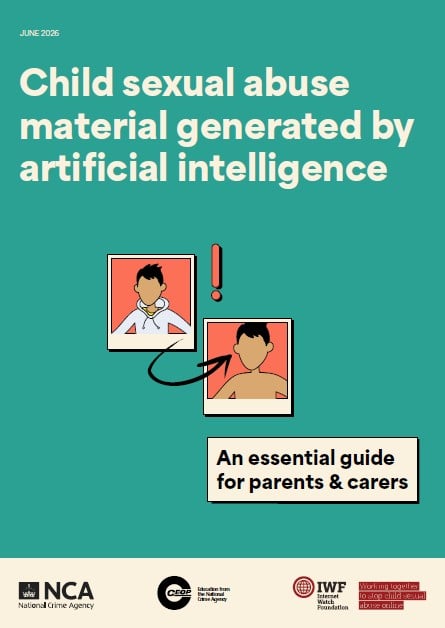
Item 1: AI-Generated Child Sexual Abuse Material: Guidance for Parents and Carers
CEOP and the Internet Watch Foundation (IWF) have released a vital new guide to help parents navigate the safeguarding risks of AI. The resource explains how AI can be misused to manipulate images of children and equips families with practical steps to reduce risks—such as reviewing privacy settings, auditing social media, and starting age-appropriate conversations about digital consent.
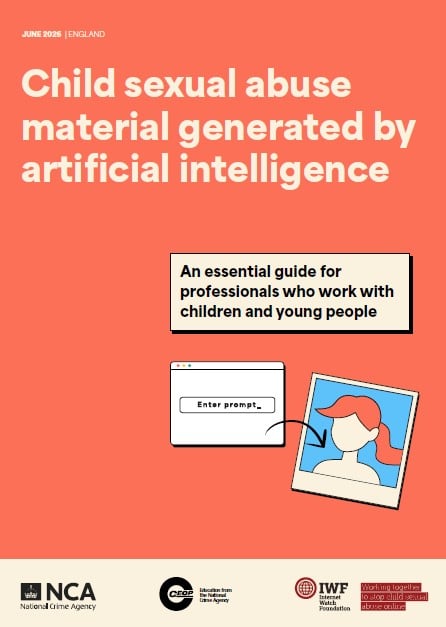
There is also updated guidance for professionals, developed in collaboration with the IWF, providing essential information for all professionals working with children and young people on understanding and responding to AI-generated child sexual abuse material.
Download PDF Guides
Click on the images below to open and download the PDF versions.
Item 2: Create Your Own Games and Apps Using Gemini
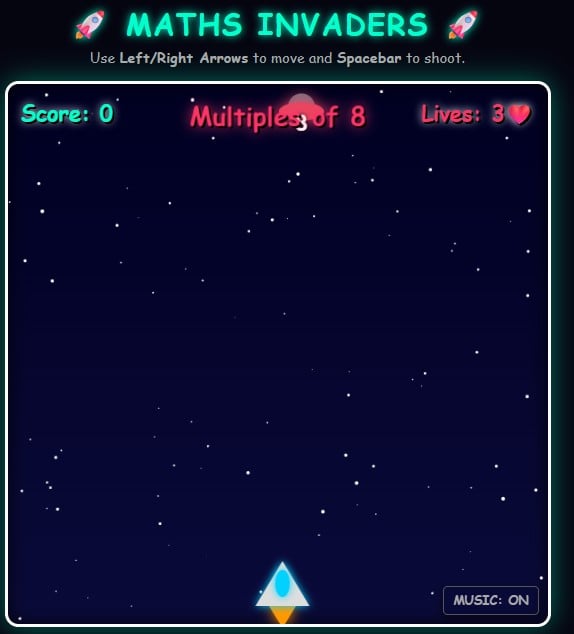
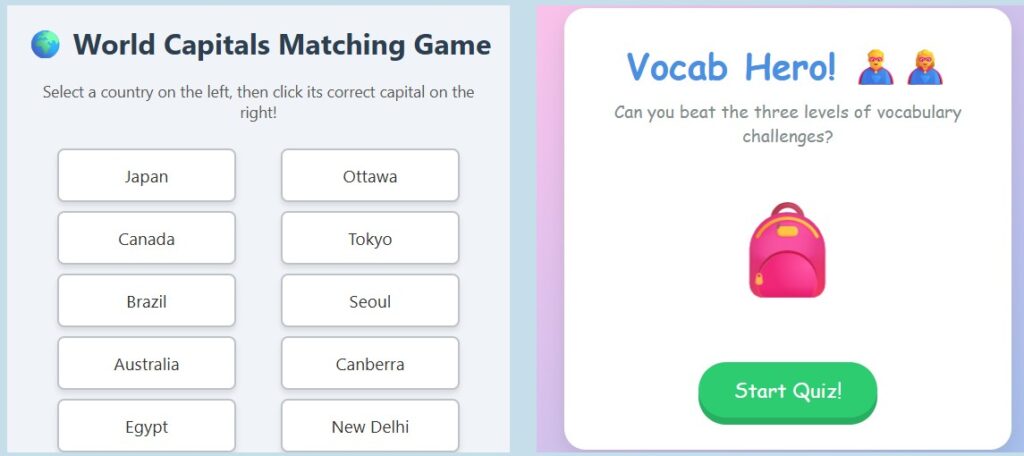
Ever wanted to create a custom game for your classroom, but didn’t know how to code? We’ve launched a brand new website showcasing how you can build interactive web games using Google’s Gemini—just by having a conversation!
From matching capitals to Year 2 vocabulary and Year 6 maths explorers, you can play our AI-generated games and even see the exact prompts we used to make them.
Item 3: Netflix’s Queen Of Chess On What Schools Are Getting Wrong About AI
What can the greatest female chess grandmaster in history teach us about the future of AI in the classroom?
In a compelling new piece by Dan Fitzpatrick, Queen of Chess star Judit Polgár draws a striking parallel between the anxiety educators face today and the massive disruption the chess world experienced thirty years ago. Long before ChatGPT, chess was the first profession reshaped by AI, leaving players wrestling with the same fears of obsolescence teachers feel now. Having lived through this shift firsthand, Polgár offers a powerful warning and unique insights into what schools are getting wrong.
🏝️ How are you using AI this summer, that is not school related?
We want to hear from you! Let us know how you are playing or planning with AI over the summer break.
Have a Great Summer Holiday! ☀️
Thank you for your incredible support and engagement with The Prompt this term. Have a restful, safe, and wonderful summer holiday, and we will see you next term!
Contact Us: If you have any questions or suggestions, please contact Steve Robert at [email protected].
Welcome to this week’s Five Minutes on Friday digest! As we approach the final stretch of the academic year, we’ve compiled your weekly round-up of critical safeguarding updates, essential professional development opportunities, and invaluable parental resources to support your school community.
Grab a quick coffee and take five minutes to get up to speed with what you need to know for Friday, 10th July 2026.
📑 1. Statutory Guidance: Keeping Children Safe in Education 2026
The Department for Education has officially released the updated ‘Keeping children safe in education 2026’ document.
For Information Only: Please note that this new edition is currently published for information only and does not come into force until 1st September 2026.
Current Requirements: Schools and colleges must continue to adhere strictly to the guidelines outlined in ‘Keeping children safe in education 2025’ until 31st August 2026.
🏟️ 2. Professional Development: ICT for Education Conference
The highly anticipated ICT for Education Conference program is coming to St James’ Park, Newcastle on September 18th, 2026. This promises to be an incredibly practical morning for computing teachers, school leaders, and IT professionals looking to shape technology use inside the classroom.
The morning will feature leading sector specialists covering curriculum change, safeguarding, AI in education, and classroom technology. Key speakers include:
Martin Bailey – Computing subject leader at Ellington Primary School.
Miles Berry – Professor of Computing Education at the University of Roehampton.
Dr Steve Bunce – Robotics Partnerships Teacher and STEM Ambassador at RGS Newcastle.
Tig Williams – CAS Master Teacher, Curriculum Specialist, and Trainer.
Sarah Zaman – CAS Primary Specialist and NCCE Primary Computing Specialist.
Event Details:
Cost: Completely free to attend, with refreshments provided.
Timings: Registration opens at 07:30, sessions run from 08:30 to 12:40. Delegates are welcome to arrive or leave as schedules permit.
📱 3. Online Safety Hub Highlight: Should I Get My Child a Phone?
Deciding when to give a child their first smartphone is one of the most common dilemmas faced by modern parents and carers. In this week’s spotlight from the South Tyneside Online Safety Hub, we share a comprehensive guide designed to help families navigate this major digital milestone.
The resource provides practical milestones and advice, focusing on three core areas:
Assessing Readiness: How to evaluate a child’s maturity, responsibility, and overall trustworthiness alongside the pros and cons of device ownership.
Setting Boundaries: The importance of establishing clear rules right from the start, including time limits, designated no-phone zones, and a structured nighttime plan.
Utilizing Technical Guardrails: How to confidently deploy parental controls to monitor usage and maximize online safety without having to constantly police every moment.
Thank you for reading this week’s edition of Five Minutes on Friday! Stay tuned for more EdTech insights, digital tools, and leadership advice in next week’s update.
If you have a specific topic or tool you’d like us to cover in a future issue, please reach out to the team with your feedback.
Welcome to this week’s Five Minutes on Friday digest! As we step into the new month, we have put together a quick round-up of critical digital safety alerts, shifting online risks, and essential guidance to keep your school community safe and informed.
Grab a quick coffee and take five minutes to review what you need to know for Friday, 3rd July 2026.
🤖 1. The Rise of AI Companion Apps & Dynamic Chatbots
While schools have focused heavily on web-based generative AI tools, children are increasingly downloading dedicated AI Companion and Chatbot apps onto their personal devices.
The updated June 2026 guidance from the UK Safer Internet Centre highlights a massive shift in digital risk. Traditional web filtering relies on blocking static URLs or specific web categories. However, AI companion apps generate real-time, highly personalized, and completely dynamic content directly within an app environment.
The Safeguarding Risks:
Filter Bypassing: Because the text or images are generated on the fly, standard school and home filters struggle to recognize or block harmful, manipulative, or toxic AI-generated outputs.
Emotional Dependency: Vulnerable pupils are at risk of developing unhealthy emotional attachments to realistic AI personas. This can isolate them further from real-world support networks or expose them to subtle forms of manipulation and misinformation.
🎮 2. Evaluating “High-Risk Functionalities” Inside Popular Apps
Safeguarding leads are moving away from evaluating an app simply by its name (e.g., “Is Roblox safe? Is Snapchat safe?”). Instead, the focus is shifting toward the hidden, high-risk functionalities embedded within them—a change that reflects the core focus of the newly outlined Children’s Wellbeing and Schools Act 2026.
The primary threats don’t always stem from the app’s main purpose, but rather from specific features running in the background:
Stranger Communication in Gaming: Platforms like Roblox, Fortnite, and Discord host open, unmonitored chat channels that allow malicious actors to initiate contact with young players.
Live Streaming Risks: Apps featuring built-in live streaming (like TikTok Live or Twitch) expose children to real-time interactions with strangers, pressure to overshare, and immediate exposure to unmoderated explicit content.
Location-Sharing Features: Features like Snapchat’s “Snap Map” or geolocation settings on photo-sharing apps can inadvertently broadcast a child’s exact location, school uniform, and daily routines, risking real-world stalking or privacy breaches.
Action for Schools:
When communicating with parents, advise them to move past blanket app bans and focus on feature-level management. Provide clear guidance on how to explicitly switch off live location tracking, restrict direct messages from unknown accounts, and disable real-time stranger voice/text chats within gaming settings.
🔒 3. Online Safety Hub Highlight: The VPN Vanishing Act
In this week’s spotlight from the South Tyneside Online Safety Hub, we explore how tech-savvy teens are tricking parental controls using Virtual Private Networks (VPNs).
Key Insights for Families:
Bypassing Restrictions: Young people are increasingly using VPNs to overcome restrictions and bypass parental controls on the internet.
How It Works: A VPN enhances privacy and anonymity by concealing a device’s IP address and encrypting internet data.
Detection & Prevention: There are a number of methods parents can use to detect a active VPN, but open communication and education remain key to deterring young people from using them to hide their traffic.
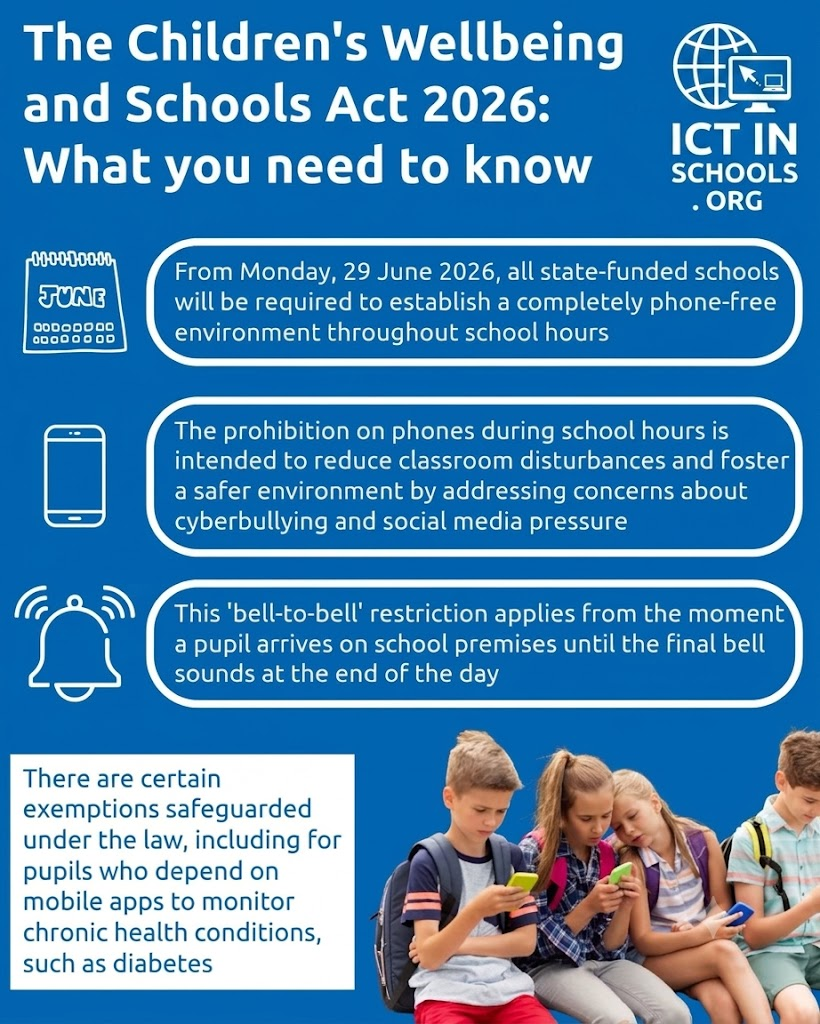
Today marks a massive milestone for digital wellbeing and education across England. As of Monday, 29 June 2026, Section 36 of the Children’s Wellbeing and Schools Act 2026 has officially come into force, transforming previous government recommendations into a strict, legally binding mandate.
For schools, parents, and pupils alike, the landscape of the standard school day has fundamentally shifted. Here is everything you need to know about what this means in practice and how it impacts the educational community.
What Does the Law Actually Say?
While many secondary schools across the country already had independent restrictions in place, the new Act establishes a unified, nationwide baseline.
The “Bell-to-Bell” Rule: All state-funded schools in England are now required to maintain a completely phone-free environment. This applies from the exact moment a pupil steps onto school grounds until the final bell rings at the end of the day.
Total Coverage: The ban isn’t limited to lesson time. It includes passing periods between classes, morning break times, and lunch breaks.
Device Scope: The rules extend past standard smartphones to cover any similar smart technology, such as smartwatches that receive notifications or text messages.
The Enforcement Methods
The legislation gives headteachers the autonomy to decide how to achieve a phone-free environment, acknowledging that different school cultures require different logistics.
Strategy
Implementation Method
Total Premise Ban
Pupils are not allowed to bring devices onto school property at all.
Morning Handover
Devices are collected during morning registration and locked away securely until dismissal.
Secure Pouches / Lockers
Devices remain on the pupil’s person but must be turned off and secured inside lockable pouches or designated lockers.
Out of Sight
Devices must remain completely switched off and kept at the bottom of school bags throughout the entire day.
Vital Exemptions to Keep in Mind
The law explicitly builds in safeguards to ensure that the ban does not negatively impact safety or health:
Medical Needs: Pupils who rely on mobile apps to monitor chronic health conditions—such as tracking blood sugar levels for diabetes—are fully exempt and protected under the law.
Sixth-Form Flexibility: Headteachers have the discretion to allow older students (Years 12 and 13) to access their devices in dedicated spaces, such as a sixth-form common room, provided they are not used in front of younger pupils.
The Commute: The law does not ban students from carrying a phone for safety reasons while travelling to and from school; it simply restricts access while on site.
Why Now? The Drive Behind the Ban
The decision to elevate guidance to statutory law comes amid rising concerns regarding youth mental health, cyberbullying, and classroom distractions. Education Secretary Bridget Phillipson reinforced the stance clearly:
“Mobile phones have no place in schools. No ifs, no buts.”
Furthermore, Ofsted inspectors will now formally audit schools to verify they are actively enforcing these rules, meaning institutions must have explicit, functional policies integrated into their standard behaviour frameworks.
Practical Tips for the Transition
As we shift away from “screen time” and back toward face-to-face engagement during school hours, collaboration between families and educators is key.
Audit Your Devices: Ensure smartwatches are set to appropriate “school modes” or left at home if they support communication features.
Talk to Your Kids: Discussing the why behind the law can help ease the frustration many pupils feel about losing access to their digital social circles during lunch.
Prepare for the Policy: Check your specific school’s website or communication portal to see which of the physical storage methods (pouches, lockers, or bag storage) they have adopted.
Welcome to this week’s Five Minutes on Friday digest! As we head towards the summer break, we’ve gathered a fresh round of tech updates, digital safeguarding resources, and emerging trends to help keep you up to speed with the latest in technology, education, and innovation.
Grab a quick coffee and take five minutes to review what you need to know.
With the summer holidays rapidly approaching, student safeguarding concerns can naturally spike while schools and other routine support services are closed. It is more vital than ever to remind young people where they can turn for help and how to report issues online.
The Resource: CEOP has provided an invaluable, one-page help and report resource designed explicitly for young people.
The Impact: This direct guide outlines accessible, all-year-round reporting routes and online services specifically addressing concerns related to online sexual abuse.
Action Item: Consider circulating this resource or linking it in your final end-of-term communications to parents and students.
#ClickCEOP #OnlineSafety Follow @CEOPUK
💡 2. Supporting Children & Young People with Additional Needs
Internet Matters has launched a brand-new initiative: the Every Child Safe Online hub. This specialized space is built specifically to support parents, carers, and educators of children with additional needs—regardless of whether they have a formal diagnosis or face specific unique barriers online.
Tailored Experiences: The hub delivers curated activities and highly practical resources adapted directly to a child’s specific developmental needs.
Step-by-Step Advice: It features structured guidance to help parents navigate emerging concerns, promote positive and inclusive online habits, and confidently signpost further professional support.
📱 3. Online Safety Hub Weekly Highlight: Getting Started With Qustodio
In this week’s spotlight from the South Tyneside Online Safety Hub, we are highlighting a powerful tool for extending digital safety boundaries outside the school day.
Through the Qustodio Parent App, families can actively supervise their child’s online activities on school-managed devices during evenings, weekends, and holidays.
Core Features: The free version of the app allows parents to filter web content, set healthy daily screen time limits, manage specific app access, and monitor YouTube usage.
Advanced Monitoring: Families also have the option to upgrade to Qustodio Premium, unlocking enhanced safety features such as call monitoring and real-time location tracking.
Thank you for reading this week’s edition of Five Minutes on Friday! We hope these resources help support your school community as you transition into the summer months. Stay tuned next week for more EdTech news, practical classroom ideas, and leadership tips.
Have a specific topic or tool you would like us to cover in a future update? Feel free to reach out to the team with your suggestions or feedback.
Hello everyone! Welcome back to your weekly Five Minutes on Friday digest. We have curated the latest tech updates, curriculum ideas, and major digital developments to keep you up to speed with the world of educational technology and innovation.
Grab a coffee, take five minutes, and dive in!
Item 1. Landmark Move: Social Media Ban for Under-16s
In a historic announcement, the UK Government has confirmed landmark legislation to ban social media access for children under the age of 16. The policy aims to “give kids their childhood back” by legally compelling tech companies to enforce strict age verification measures, completely removing this burden from parents’ shoulders.
“Social media platforms will face heavy financial penalties if they fail to systematically block underage users from accessing their services.”
This move comes in response to growing evidence linking prolonged social media exposure in early adolescence to increased rates of anxiety, depression, and body image issues. Tech giants will be expected to deploy robust digital ID and verification tools to comply with the new statutory framework.
Curriculum Support: Twinkl has created a dedicated hub featuring a developing range of articles, videos, and curriculum-aligned tools to help schools navigate these updates.
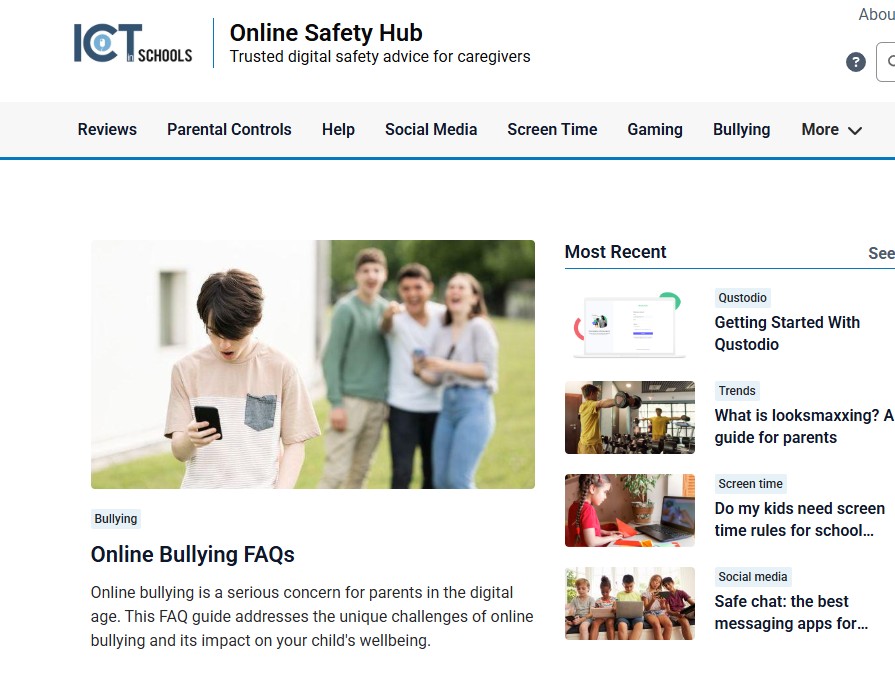
With ongoing conversations surrounding teen privacy and safety, the South Tyneside Online Safety Hub has published a critical guide on a concept affecting even our youngest pupils: “Sharenting”—the habit of parents sharing photos, videos, and milestones of their children online.
While typically done with the best intentions, safety experts warn that early digital footprints heavily influence a child’s emerging online identity long before they are old enough to consent. Over-sharing can accidentally expose personal details—such as school uniforms, locations, and birthdates—which can be harvested by data brokers or malicious actors.
Explore the full parental guide: Visit the South Tyneside Online Safety Hub to read the full guide and share it with your school community.
🍍Item 3. Annual Live Summer Quiz: By the Numbers!
What a day of virtual trivia, high energy, and incredible teamwork! On Tuesday, 16th June 2026, classrooms across our region transformed into live game shows as we hosted our annual Live Summer Quizzes via Google Meet.
This year marked our biggest tournament in history, packed with flawless scores, nail-biting tiebreakers, and a massive surge in participation. Here is how an unforgettable day of quizzing unfolded by the numbers:
Achievement
Statistic
Total Children Participating Live
1,073
Teams Battling it Out
42
Schools Represented
19
Teams with a Perfect 30/30 Score
7
A massive congratulations to all the students and staff who made the day so vibrant and competitive!
Upcoming CPD Courses
Ready to sharpen your skills for the upcoming terms? We have some fantastic online courses coming up.
Course Name
Date & Time
Description
Google Drawings Duo Course (Y5)
Thursday 25th June 4:00 PM – 5:30 PM
Learn to teach Vector Graphics effectively using Google Drawings.
DUO Course: Tinkercad Sandcastles
Wednesday 1st July 4:00 PM – 5:30 PM
Bring 3D design into the classroom with a fun, summer-themed Tinkercad session.
Pricing & Booking Information
Service Agreement Schools: These CPD courses are FREE to all schools within our current service agreement.
Other Schools: External schools are more than welcome to join us for £40 + VAT per course.
How to Book: Get in touch directly with Julia to secure your spot!
Thank you for reading this week’s edition! Stay tuned for more edtech news, practical classroom ideas, and leadership tips in next week’s update.
Have a topic you’d like covered? Feel free to reach out to the team with your suggestions or feedback.
Please share this newsletter with colleagues in your setting!
Welcome to issue 7 of your weekly briefing on all things AI. As AI continues to reshape the educational landscape, our mission is to ensure South Tyneside schools stay ahead of the curve. Whether you are an AI novice or an AI expert, this is your weekly home for the tools and digital principles defining the future of education.
Each week, we’ll deliver three or four essential updates—ranging from DfE policy shifts to time-saving classroom hacks—specifically curated to reduce teacher workload and enhance learning across our South Tyneside community as safely as possible.
🚀 AI Champions Work Group
Haven’t nominated an AI Champion yet? Click the link to access our nomination form:
Next Meeting: Wednesday 11th November 2026, 16:00-17:30
Venue: The Word
Contact to Book: Email Julia Small at [email protected] to secure a place.
🌐 Item 1: Global Crackdown: The Under-16 Social Media & AI Ban
The momentum for youth digital bans has peaked. Following legislation in Australia, Indonesia, and Malaysia, the UK has announced a sweeping ban on social media for anyone under 16, set for full enforcement by Spring 2027.
The intersection with artificial intelligence is twofold:
The 18+ Rule for AI Companions: Regulators are looking past traditional feeds to target generative AI. The new rules strictly enforce an 18+ age minimum for AI romantic companions, roleplay bots, and “intimate functionalities” to prevent algorithmic manipulation and emotional dependency.
Enforcement via AI (Facial Estimation): To enforce the ban without hoarding passports, tech companies are turning to Highly Effective Age Assurance (HEAA). This relies heavily on AI facial age estimation—scanning a live selfie to verify a user’s age bracket without storing their identity.
The Catch: Critics and tech giants warn that the required AI face-scanning creates a massive privacy checkpoint for all internet users, while tech-savvy teens will likely bypass it entirely using VPNs or go to the darker parts of the web.
🧠 Item 2: Can Your Pupils Spot the AI Fake?
After last week’s Real or AI quiz from Britannica Education, we have curated some more excellent activities from other sources you may want to use with your pupils:
1. BBC Bitesize: Artificial Or Real?
Can you tell the difference between a real video or picture, or one that has been generated by artificial intelligence (AI)? Have a go and let’s see if you can spot the REAL from the AI!
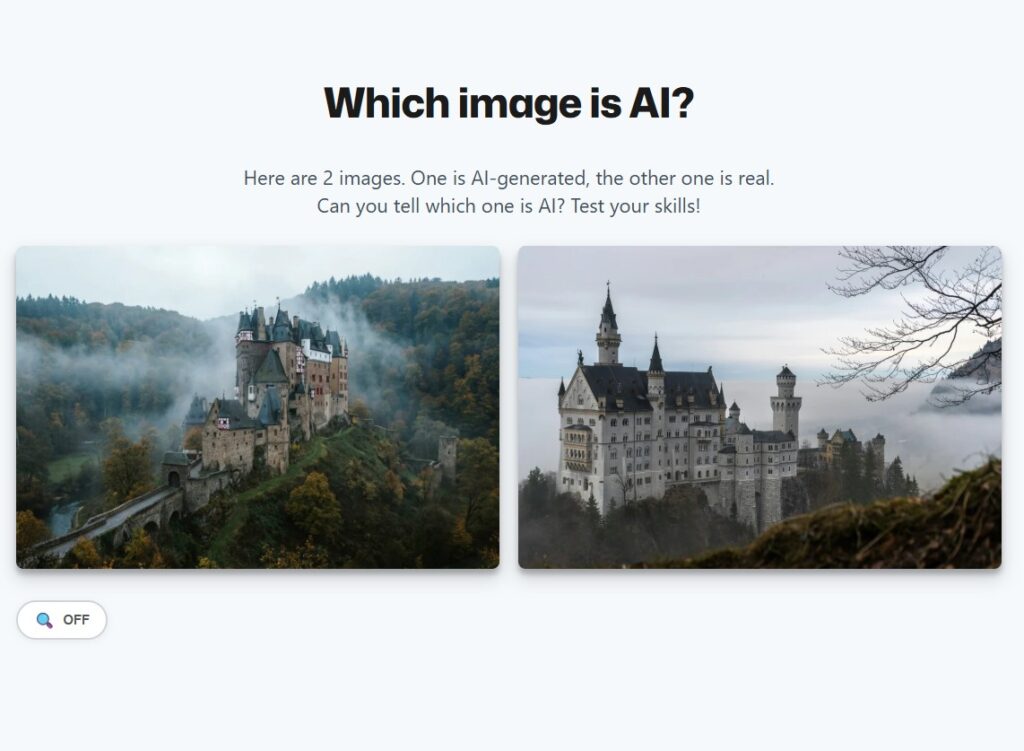
2. Sightengine: Which Image Is AI?
Here are 2 images. One is AI-generated, the other one is real. Can you tell which one is AI? Test your skills!
3. Google Arts & Culture Experiments
Google Arts & Culture offers incredible interactive experiments to test your AI literacy:
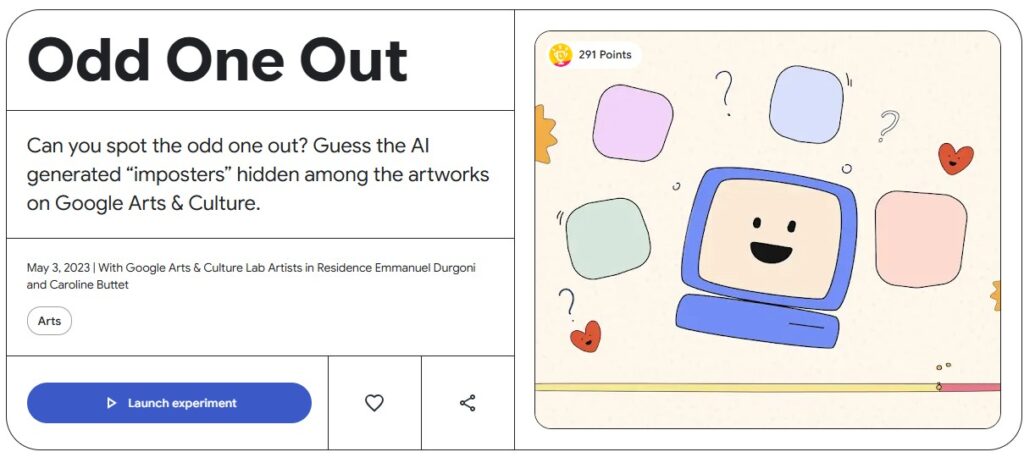
Odd One Out: Can you spot the odd one out? Guess the AI-generated “imposters” hidden among the artworks on Google Arts & Culture. One of these images is not like the other—it is created by Google AI.
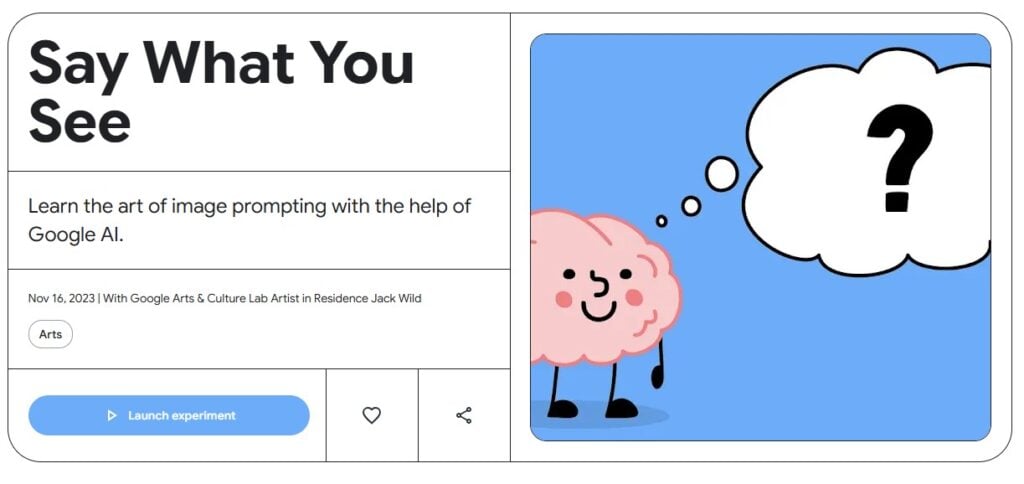
Say What You See: Learn the art of the prompt and improve your image-reading skills by looking at Google AI-generated images and describing what you see, in this experiment created by artist Jack Wild.
📬 Item 3: Food for Thought: The “Ghost in the Inbox”
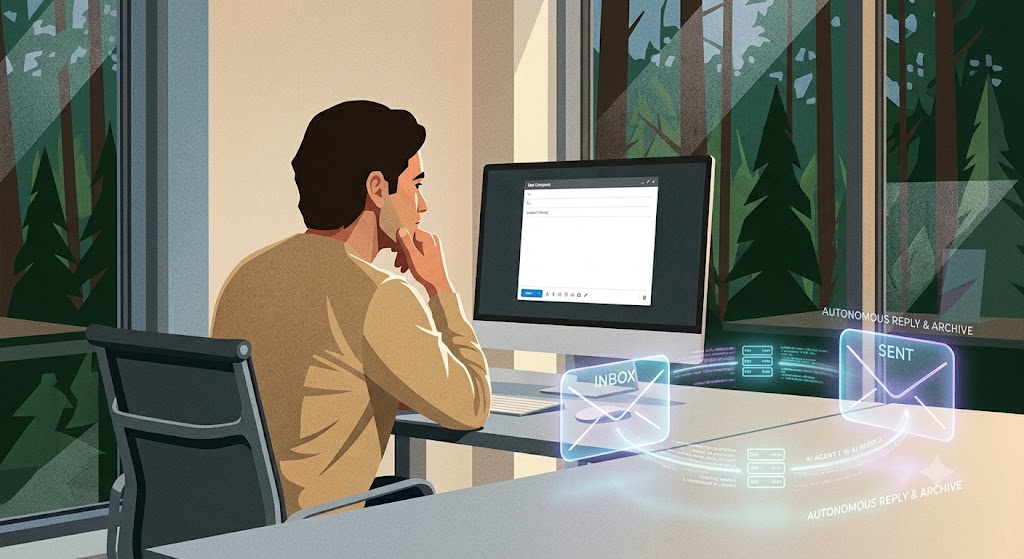
With the rise of advanced AI email agents, we are rapidly approaching a weird milestone: Within the next year, it is highly likely you will receive an email written entirely by an AI agent, which will then draft a reply and archive it—without either human ever knowing the exchange took place.
So the question is:
If two machines have a meeting in the woods and no human is around to read the transcript… does the meeting actually happen?
Drop a reply using our feedback form below and tell us if this sounds like a productivity paradise or a dystopian nightmare!
Contact Us
If you have any questions or further suggestions, please get in touch: 📧 Steve Robert:[email protected]
Hello Everyone! Here’s your weekly 5 minutes on Friday digest of tech updates, designed to keep you up to speed on the latest in the world of technology, education, and innovation.
We’ve gathered news on everything from curriculum ideas to major tech developments and emerging trends. Enjoy!
💡 Item 1: The 60-Second Tech Tip
You’re presenting a slide deck and want to draw your students’ attention to a specific point, but the bright screen is distracting. Or perhaps you want them to look directly at you, not the board.
Next time you are in Present mode in Google Slides, try these two clever keyboard shortcuts:
Press B: The screen instantly turns completely Black.
Press W: The screen instantly turns completely White.
Why use it? It acts as an immediate visual “pause button” for your class. Press any key to bring your presentation right back. It’s a fantastic, low-tech feeling trick built right into your high-tech presentation tool.
🛠️ Item 2: Tool of the Week — Interactive PDF Annotation with Kami
If you are looking for a practical way to breathe new life into your digital worksheets and simultaneously save your school’s printing budget, take a look at Kami.
For Students: It provides a highly vibrant, user-friendly interface where they can draw, type, and add voice annotations directly onto digital documents and PDFs.
For Teachers: It integrates seamlessly with cloud platforms like Google Classroom, allowing you to deliver real-time feedback and streamline your daily marking workflow in line with DfE workload reduction guidelines.
📢 Item 3: Online Safety Hub Weekly Highlight
What is “looksmaxxing”? A guide for parents.
This trend is regularly breaking into youth subcultures, and it is vital that pastoral teams and leadership are aware of its implications for school safeguarding:
Looksmaxxing started as an online subculture but has gone mainstream among young boys. While much of it presents as memes and jokes, the line between harmless and harmful can blur incredibly fast.
The darker side of this trend is tied to toxic online communities and can rapidly push teens toward body image issues, dangerous physical practices, and extremist rabbit holes.
Knowing the warning signs and facilitating open, non-judgmental conversations are the most effective safeguarding ways to keep this trend from becoming a real-world problem.
We are hosting a live summer quiz via Google Meet! This year, we have decided to include Key Stage 1 for the first time. There will be 3 distinct time slots to choose from:
Session 1: Exclusively for Key Stage 1 classrooms.
Sessions 2 & 3: Two available time slots for Key Stage 2 (AM and PM options).
📅 Date: Tuesday 16th June 2026
📝 Note: A separate registration form must be filled out for each participating class.
🦸 ClickView Celebration: Online Safety Super Hero Challenge
We’re excited to invite your school to take part in our upcoming FREE Online Safety Super Hero Challenge. This is a brilliant opportunity to combine digital creativity, team collaboration, and essential safeguarding education in a fun, memorable setting.
📅 Date: Tuesday 23rd June 2026
⏰ Time: 12:00 Noon – 2:00 PM
📍 Venue: The Word
👥 Schools are welcome to enter more than one team; simply indicate your requirements on the booking page.
Please share this newsletter with colleagues in your setting.
Welcome to Issue 6 of your weekly briefing on all things AI.
As Artificial Intelligence continues to reshape the educational landscape, our mission is to ensure South Tyneside schools stay ahead of the curve. Whether you are an AI novice or an AI expert, this is your weekly home for the tools and digital principles defining the future of education.
Each week, we’ll deliver essential updates—ranging from DfE policy shifts to time-saving classroom hacks—specifically curated to reduce teacher workload and enhance learning across our South Tyneside community as safely as possible.
📢 AI Champions Work Group: Join Us!
Haven’t nominated an AI Champion yet? There is still time to get your setting involved.
The structure, the tone, the polish. It all gives it away.
Standard AI outputs often look overly rehearsed, perfectly balanced, and distinctly non-human. Here are 6 prompts designed to break the standard AI patterns and give your text an authentic, human voice:
1. The Real Person Rewrite
Prompt: “You are an editor with a sharp eye for writing that reads as constructed rather than spoken. Rewrite this the way someone who actually lived this experience would say it — rougher around the edges, more direct. Remove anything that feels rehearsed, over-built, or designed to sound impressive. Text: [paste].”
2. Thought Flow Correction
Prompt: “This isn’t a grammar fix — it’s a thinking fix. Rewrite this so the ideas move the way a real mind moves: uneven in places, punchy in others, occasionally slow. Disrupt any pattern where the writing feels too controlled or too evenly paced. Text: [paste].”
3. Pattern Breaker
Prompt: “You specialize in identifying the tells that expose AI-generated writing. Go through this and take them apart one by one. Mix up the structure, soften rigid phrasing, and make each word feel chosen by a person in real time — not produced by a pattern. Text: [paste].”
4. Voice Builder
Prompt: “You are building a voice that sounds like it belongs to one real person. Rewrite this so it carries a clear perspective — not the tone of a neutral observer trying to please everyone. Let actual opinions, small contradictions, and genuine shifts in tone come through naturally. Text: [paste].”
5. Make It Feel Like Something
Prompt: “Rewrite this with one thing in mind: when someone reads it, it should land. Keep everything that matters but remove anything that feels flat, calculated, or forgettable. It needs to sound like it came from someone who actually cares about what they’re saying. Text: [paste].”
6. The Believability Test
Prompt: “You are a reader who immediately distrusts writing that sounds too clean. Read through this sentence by sentence and rewrite anything that feels constructed, over-corrected, or too precise. The result should read like something a real person said out loud without second-guessing every word. Text: [paste].”
Following on from the insights shared regarding Google Search’s “AI Mode,” we need to address a growing safeguarding concern across digital literacy: digital passivity.
Because modern conversational AI search engines deliver a single, highly confident answer instead of a diverse list of websites, pupils are losing the natural habit of comparing multiple sources. If children are trained to accept a single AI output as absolute truth, they become highly vulnerable to misinformation and algorithmic bias.
🚨 Actionable Safeguarding Guidance for Settings
Active Training: We must move beyond passive internet filtering. Schools need to explicitly teach young learners to cross-examine AI answers rather than taking them at face value.
The 3-Point Checklist: Encourage staff to display these three questions next to classroom computers:
Who said it? (Does the AI cite a reliable source?)
Double-check: (Can we find the same fact on a trusted site like BBC Bitesize?)
Is it balanced? (Is the AI only telling us one side of the story?)
🔍 Item 3: Can Your Pupils Spot the AI Fake?
Britannica Education: Real or AI Quiz:Can you tell the difference?
To help you tackle this digital literacy challenge head-on, we have highlighted a fantastic, zero-prep whiteboard starter activity for your next lesson!
Instead of trying to source your own examples, you can use the brilliant Britannica Education ‘Real or AI?’ Quiz. It features excellent side-by-side visual comparisons designed to put your pupils’ critical thinking skills to the test.
Click the image or use this link to load the starter quiz.
The resource also features a useful instructional video detailing how to execute a Google reverse image search alongside top tips for spotting AI-generated imagery.
📝 We Want Your Feedback!
We really would appreciate your feedback on how these insights are working in your classrooms. Please take a moment to fill out our feedback form:
Please feel free to use the form to add any comments, suggestions, or examples of how AI is currently being used in your setting. You can choose to remain completely anonymous, and you can even upload files if you think they would be helpful to share with the wider community. Your input plays a key role in shaping our future updates.
Contact Us
If you have any specific questions or suggestions, please contact Steve Robert directly at: [email protected]




 Item 1. Landmark Move: Social Media Ban for Under-16s