
This website uses cookies to ensure you get the best experience on our website.

Learn more
Got it!
  • 0191 424 6336
  • [email protected]
ICT in Schools Logo
  • Our Services
    • About Us
    • News
    • 5 minutes on Friday
    • AI Prompt
    • Website Support
    • Professional Development
    • Loan Resources
    • Equality, Diversity and Inclusion
  • Computing
    • Curriculum
    • ClickView in South Tyneside
    • CAS Primary Hub
  • Online Safety Hub
  • E-Safety
    • Smoothwall Monitor Hub
    • Online Safety Hub
    • AI in Education
      • AI Policy for Schools: Statutory Guidance & Customisable Template
    • E-Safety
    • E-safety News
  • Community
    • The Word
    • Fab Lab
    • Young Health Ambassadors
    • Literacy
    • Stronger Schools
    • Financial Support
    • MFL
      • French
      • Spanish
  • CPD
ICT in Schools Logo
  • Our Services
    • About Us
    • News
    • 5 minutes on Friday
    • AI Prompt
    • Website Support
    • Professional Development
    • Loan Resources
    • Equality, Diversity and Inclusion
  • Computing
    • Curriculum
    • ClickView in South Tyneside
    • CAS Primary Hub
  • Online Safety Hub
  • E-Safety
    • Smoothwall Monitor Hub
    • Online Safety Hub
    • AI in Education
      • AI Policy for Schools: Statutory Guidance & Customisable Template
    • E-Safety
    • E-safety News
  • Community
    • The Word
    • Fab Lab
    • Young Health Ambassadors
    • Literacy
    • Stronger Schools
    • Financial Support
    • MFL
      • French
      • Spanish
  • CPD
ICT in Schools Logo
  • Our Services
    • About Us
    • News
    • 5 minutes on Friday
    • AI Prompt
    • Website Support
    • Professional Development
    • Loan Resources
    • Equality, Diversity and Inclusion
  • Computing
    • Curriculum
    • ClickView in South Tyneside
    • CAS Primary Hub
  • Online Safety Hub
  • E-Safety
    • Smoothwall Monitor Hub
    • Online Safety Hub
    • AI in Education
      • AI Policy for Schools: Statutory Guidance & Customisable Template
    • E-Safety
    • E-safety News
  • Community
    • The Word
    • Fab Lab
    • Young Health Ambassadors
    • Literacy
    • Stronger Schools
    • Financial Support
    • MFL
      • French
      • Spanish
  • CPD

Artificial Intelligence in Education

AI in the Classroom: A Guide for Educators

The conversation around Artificial Intelligence (AI) has moved from the headlines to our classrooms. As educators, we are at a pivotal moment, with a powerful new set of tools that can fundamentally change how we teach and how students learn.

This post is a short introduction to what AI means for you, the education professional. It’s not about replacing the invaluable role of the teacher, but about seeing AI as a collaborative partner to enhance our practice.

The Opportunities of AI

The potential benefits of AI are significant and, in many cases, are already being realised:

  • Reducing Teacher Workload: AI can take on repetitive administrative tasks, such as generating lesson plans, creating bespoke resources, or drafting report comments. This frees up your time to focus on what matters most: interacting with and inspiring students.

  • Personalised Learning: AI-powered tools can help you differentiate instruction on a scale previously unimaginable. They can tailor content to an individual student’s pace and style, providing targeted support to those who need it and more challenging material for those who are ready.

  • Fostering Creativity and Critical Thinking: Instead of banning AI, we can use it to develop crucial 21st-century skills. Students can use AI as a brainstorming partner, a research assistant, or a tool for creative projects, while we guide them in asking better questions and critically evaluating the results.

Navigating the Challenges

AI also brings important questions we must address:

  • Academic Integrity: The definition of “original work” is changing. We must develop clear policies and new assessment methods that focus on process, critical thinking, and in-person demonstration of knowledge, rather than just the final product.

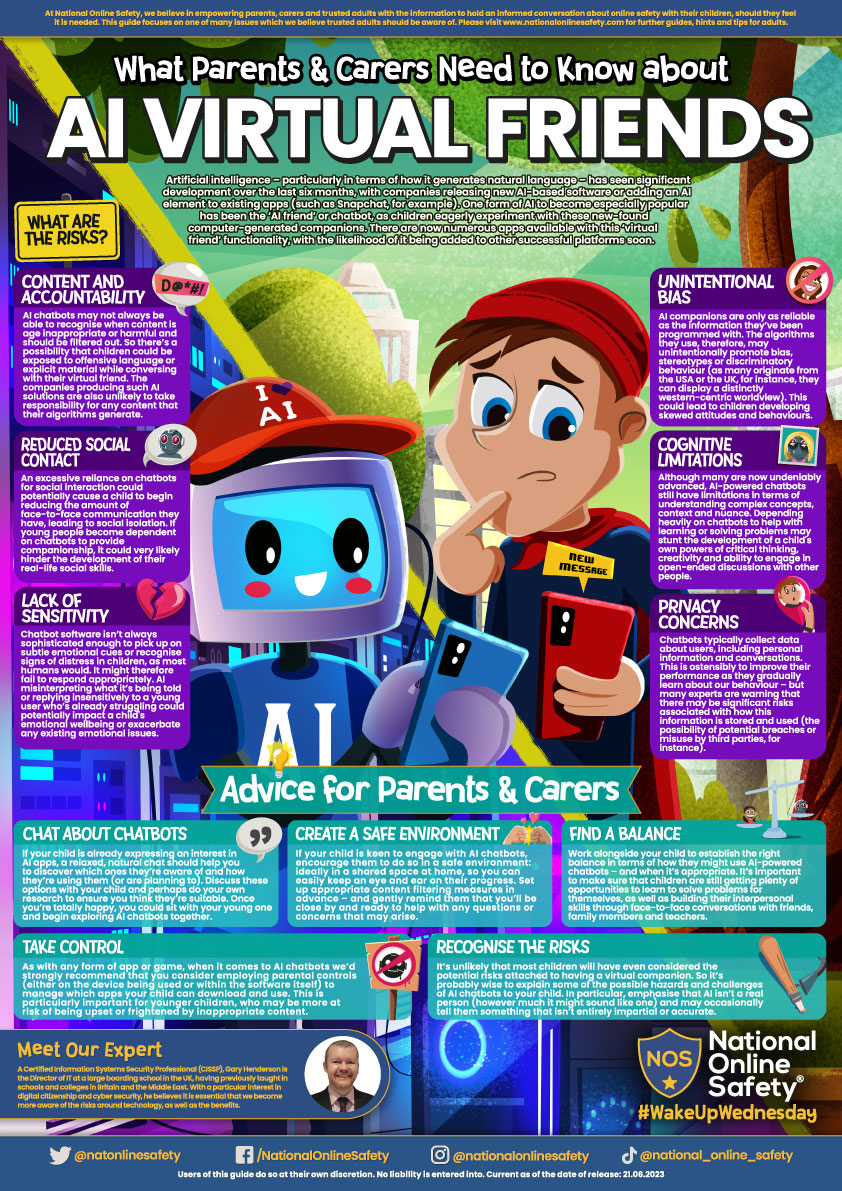
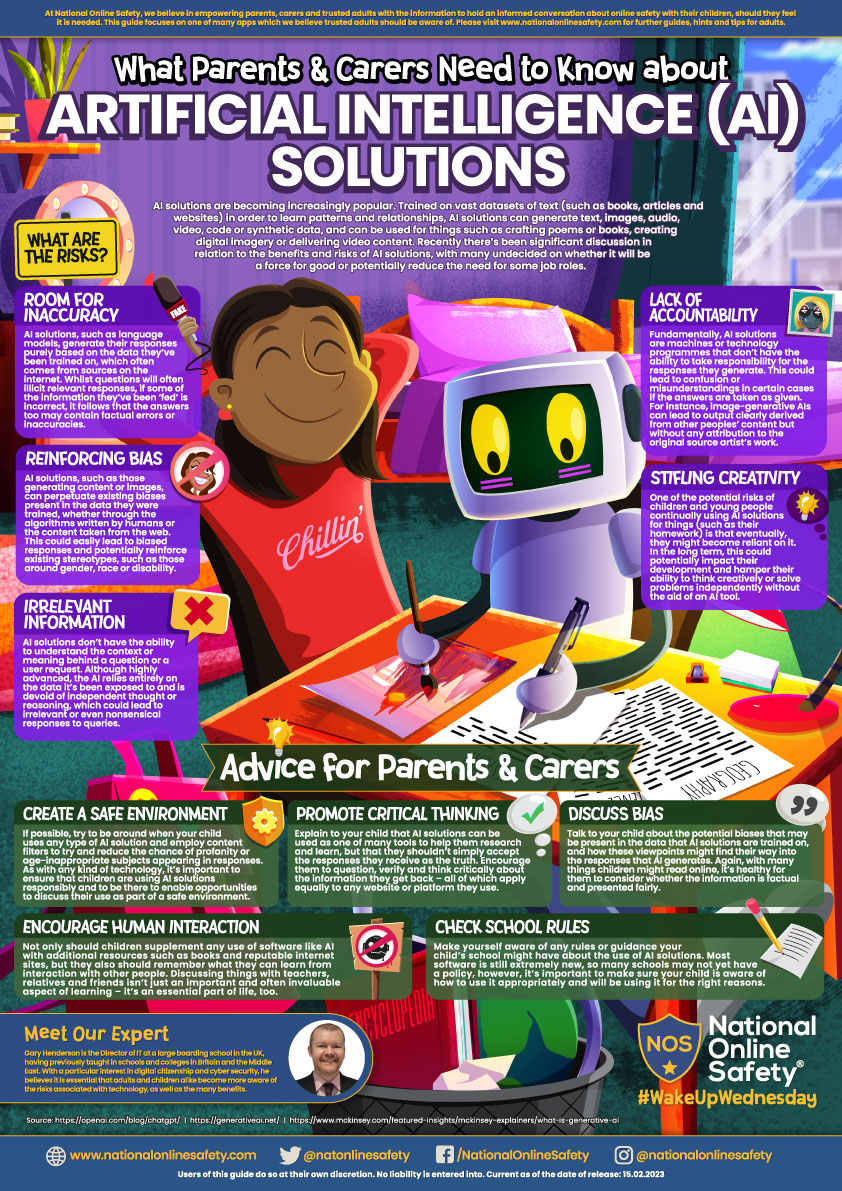
  • Ethics and Safety: As highlighted by the Department for Education, safety must be our top priority. We need to teach students about data privacy, the potential for bias in AI, and the responsible use of these tools.

  • Equity and Access: We must ensure that all students, regardless of background, have equitable access to AI tools and the training to use them effectively.

Getting Started

The key is to start small and be curious. There are many simple, safe, and often free AI tools designed specifically for teachers, like TeachMateAI and Brisk Teaching, that can help you with tasks like creating quizzes or generating feedback. As school schools we have access to Google AI assistant Gemini as part of Google workspace.

The DfE has published guidance and support materials to help schools use AI safely and effectively. By engaging with these resources and sharing best practices with your colleagues, you can confidently integrate AI into your professional toolkit.

AI is here to stay. By embracing it with a professional, informed, and child-centred approach, we can harness its power to build a more efficient, engaging, and personalised educational experience for all.
[gview file=”https://cdn.realsmart.co.uk/d3a3ddb3f55b92cb348b18b85f43909a/uploads/2025/08/07114756/AI-and-Student-Digital-Safety_-What-Your-Education-Setting-Needs-to-Know-SmoothWall-online-session-12.3.25.pdf”] [gview file=”https://cdn.realsmart.co.uk/d3a3ddb3f55b92cb348b18b85f43909a/uploads/2025/08/07114803/AI-Tools-for-Education.pdf”]

Address

ICT in Schools Team

OpenZone@The Word

45 Market Place

South Shields

NE33 1JF

Contact Us

ICT In Schools
Open Zone @ The Word
45 Market Place
South Shields
NE33 1JF

0191 424 6336

[email protected]

Website Accessibility Statement | South Tyneside Apple RTC Twitter Feed

School website powered by Realsmart Logo