Cookies on this website

We use some cookies to make this website work. With your permission we would also like to use cookies that help us understand how the website is used and measure our advertising. You can accept or reject these, or choose which ones to allow.

Choose which cookies we can use
  • 0191 424 6336
  • [email protected]
ICT in Schools Logo
  • Our Services
    • About Us
    • Meet the Team
    • The Word in 360º
    • Fab Lab @The Word: Digital Fabrication & STEM for Schools
    • Website Support
    • Professional Development
    • Loan Resources
    • Planning a visit
    • News
    • 5 minutes on Friday
    • AI – The Prompt
    • Equality, Diversity and Inclusion
  • Computing
    • Curriculum
    • AI Literacy & Guidelines
    • Policies
    • ClickView in South Tyneside
    • CAS Primary Hub
    • Digital Careers
      • Digital Careers
    • Mr R’s Escape Rooms
    • First Lego League “Bioglow” 2026/7 Season
  • Online Safety Hub
  • E-Safety
    • Online Safety Hub
    • Smoothwall Monitor
    • AI in Education
      • AI Policy
    • E-Safety
    • E-safety News
  • Community
    • The Word
    • Fab Lab
    • Literacy
    • Stronger Schools
    • Financial Support
    • Young Health Ambassadors
    • MFL
      • French
      • Spanish
    • South Tyneside Apple RTC
      • Apple RTC Home
      • Apple RTC CPD
  • CPD@Openzone
    • CPD@Openzone
    • Autumn 2026
    • Spring 2027
    • Summer 2027
    • Apple RTC CPD
ICT in Schools Logo
  • Our Services
    • About Us
    • Meet the Team
    • The Word in 360º
    • Fab Lab @The Word: Digital Fabrication & STEM for Schools
    • Website Support
    • Professional Development
    • Loan Resources
    • Planning a visit
    • News
    • 5 minutes on Friday
    • AI – The Prompt
    • Equality, Diversity and Inclusion
  • Computing
    • Curriculum
    • AI Literacy & Guidelines
    • Policies
    • ClickView in South Tyneside
    • CAS Primary Hub
    • Digital Careers
      • Digital Careers
    • Mr R’s Escape Rooms
    • First Lego League “Bioglow” 2026/7 Season
  • Online Safety Hub
  • E-Safety
    • Online Safety Hub
    • Smoothwall Monitor
    • AI in Education
      • AI Policy
    • E-Safety
    • E-safety News
  • Community
    • The Word
    • Fab Lab
    • Literacy
    • Stronger Schools
    • Financial Support
    • Young Health Ambassadors
    • MFL
      • French
      • Spanish
    • South Tyneside Apple RTC
      • Apple RTC Home
      • Apple RTC CPD
  • CPD@Openzone
    • CPD@Openzone
    • Autumn 2026
    • Spring 2027
    • Summer 2027
    • Apple RTC CPD
ICT in Schools home
  • Our Services
    • About Us
    • Meet the Team
    • The Word in 360º
    • Fab Lab @The Word: Digital Fabrication & STEM for Schools
    • Website Support
    • Professional Development
    • Loan Resources
    • Planning a visit
    • News
    • 5 minutes on Friday
    • AI – The Prompt
    • Equality, Diversity and Inclusion
  • Computing
    • Curriculum
    • AI Literacy & Guidelines
    • Policies
    • ClickView in South Tyneside
    • CAS Primary Hub
    • Digital Careers
      • Digital Careers
    • Mr R’s Escape Rooms
    • First Lego League “Bioglow” 2026/7 Season
  • Online Safety Hub
  • E-Safety
    • Online Safety Hub
    • Smoothwall Monitor
    • AI in Education
      • AI Policy
    • E-Safety
    • E-safety News
  • Community
    • The Word
    • Fab Lab
    • Literacy
    • Stronger Schools
    • Financial Support
    • Young Health Ambassadors
    • MFL
      • French
      • Spanish
    • South Tyneside Apple RTC
      • Apple RTC Home
      • Apple RTC CPD
  • CPD@Openzone
    • CPD@Openzone
    • Autumn 2026
    • Spring 2027
    • Summer 2027
    • Apple RTC CPD

Contact the school

Call 0191 4246334

Archive

The Prompt – (Issue 10)

Steve Robert

Welcome to Issue 10 of The Prompt! We hope you had a restful, well-deserved summer break. As a new school year begins, our mission is to ensure South Tyneside schools stay ahead of the curve. Whether you are an AI novice or an AI expert, this is your weekly home for the tools and digital principles defining the future of education. Each week, we’ll deliver three or four essential updates ranging from DfE policy shifts to time-saving classroom hacks specifically curated to reduce teacher workload and enhance learning across our South Tyneside community as safely as possible.

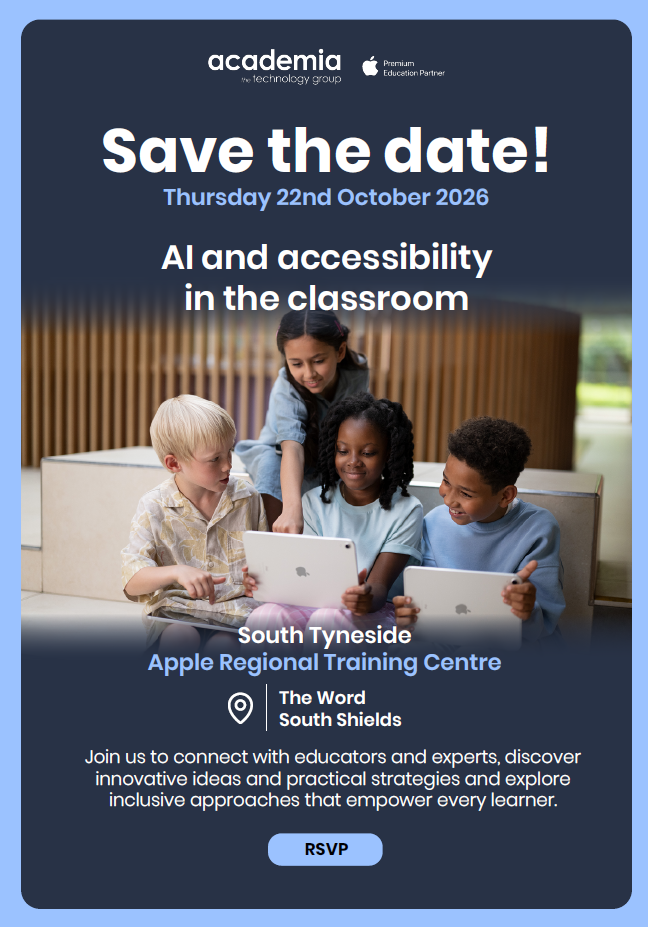
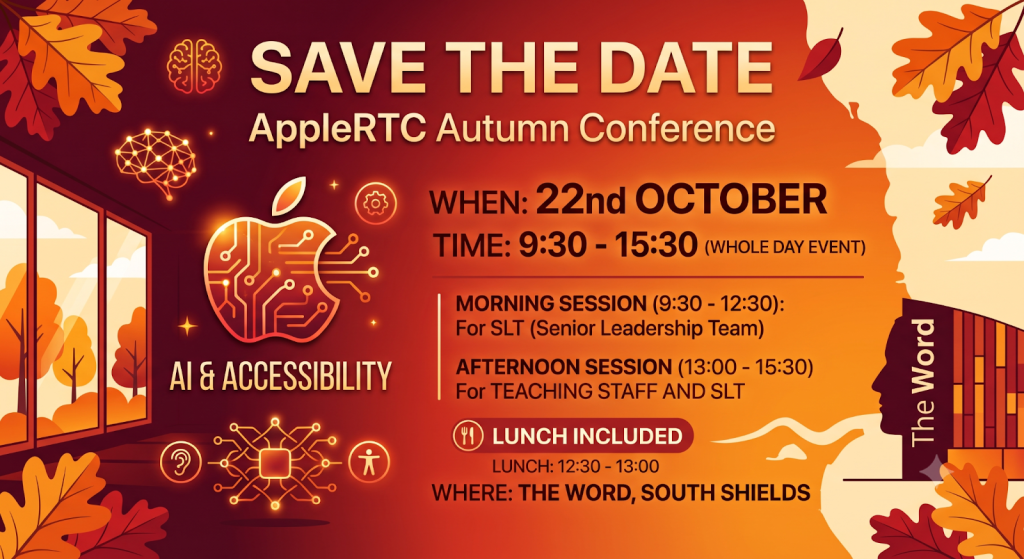
Save the Date: Apple RTC Autumn Conference 2026

We are thrilled to announce that the Apple RTC Autumn Conference will be hosted live at The Word, South Shields on Thursday, 22nd October 2026!

This whole-day event will focus on two of the most critical topics in EdTech today: AI & Accessibility.

Join us to connect with educators and experts, discover innovative ideas and practical strategies, and explore inclusive approaches that empower every learner.
👉 Click Here To Book A Place

AI Champions Work Group

Haven’t nominated an AI Champion yet? Click the link to access our nomination form: CLICK HERE

⚠️ CHANGE TO DATE – NOW Wednesday 18th NOVEMBER

Next meeting: Wednesday 18th November 2026 (16:00–17:30)

Venue: The Word, South Shields

Contact: Julia Small to book a place:[email protected]

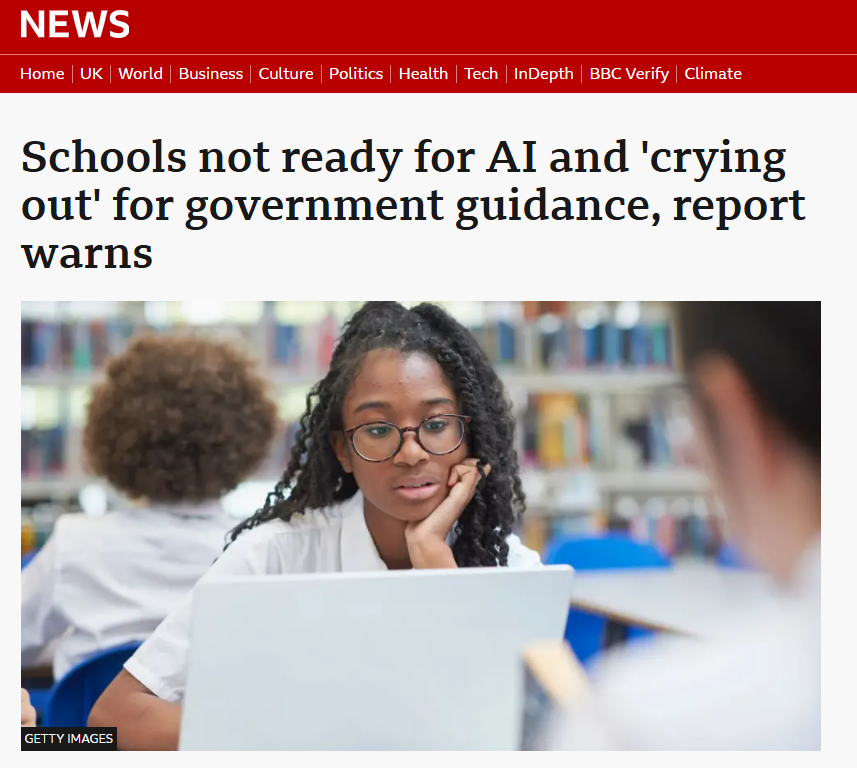
Item 1: Schools ‘Crying Out’ for AI Guidance as Major Report Warns System is Unprepared

A landmark report by Sir Anthony Seldon and Tim Bunting, published by Public First and featured on the BBC News, warns that English schools are attempting to educate for an “AI-less world that no longer exists.” Describing the current adoption of AI in classrooms as “chaotic and anarchic,” the authors urge the government to treat AI integration with wartime-level urgency.

  • The Reality Gap: Polling of 4,000 young people shows that 87% of 11–24 year olds have used AI (e.g., 53% for homework and 77% to explain difficult concepts). However, only 30% of pupils report that their school has clear, explainable rules around AI use.
  • The Teacher Literacy Gap: While 38% of pupils believe they are better at using AI than their teachers, Education Society research shows only 14% of educators feel confident in their AI literacy.
  • Core Recommendations: The report calls for a vaccine-style “rapid response unit” outside the DfE, governor-approved school AI strategies by September 2027, staff and student “AI Champions” in every setting, and Ofsted inspections that evaluate AI innovation. It also advocates reforming qualifications into a hybrid assessment model that combines traditional exams with continuous, AI-supported evaluation of unique human competencies.
Click here for full article

Item 2: GenAI Misconceptions Guide

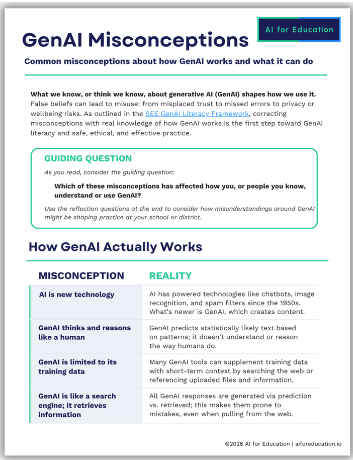
What we think we know about Generative AI shapes how we use it, and common myths can lead to misplaced trust, privacy risks, or missed errors. To help educators and students start the school year on the same page, AI for Education has released the GenAI Misconceptions resource.

The guide dismantles common myths—clarifying that GenAI is not a search engine (it predicts statistically likely text rather than retrieving facts, which is why it can hallucinate) and reminding us that a confident, polished response is no guarantee of accuracy. It serves as an ideal, quick-read resource for staff CPD sessions or early classroom discussions around academic integrity.
🔗 Access the free resource at: aiforeducation.io

Item 3: The Good Future Foundation AI Quality Mark

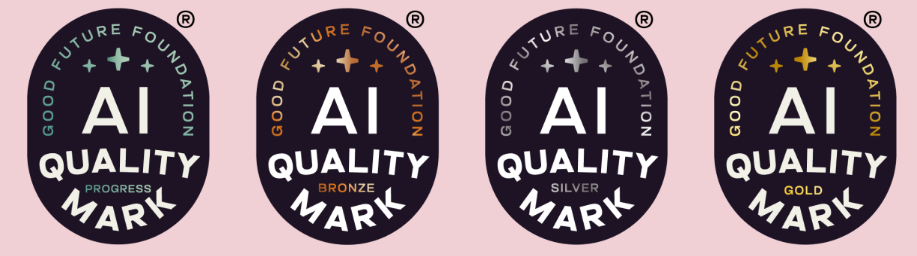
As schools look to embed AI safely and strategically this year, leaders should explore the Good Future Foundation’s AI Quality Mark.

Created by school leaders and reviewed by AI specialists, this developmental framework is far more than a tick-box exercise. It provides a structured self-assessment process to audit current AI usage, mitigate risks, and establish an ethical roadmap forward. Achieving the Quality Mark is a clear signal to staff, students, governors, and parents that your institution is committed to responsible innovation.
🔗 Learn more and start your self-assessment at: goodfuture.foundation/ai-mark

Question of the Week

“Given that 87% of pupils are actively using AI for learning but only 30% report clear guidance at school, does your setting currently have an explicit, pupil-facing AI policy in place for this term?”

Contact Us

If you have any questions or suggestions, please contact:

Steve Robert:[email protected]
AI - The Prompt, Front Page News, News

The Prompt (Issue 9)

Steve Robert

Welcome to issue 9. We hope you had a restful, well-deserved summer break. As a new school year begins, our mission is to ensure South Tyneside schools stay ahead of the curve. Whether you are an AI novice or an AI expert, this is your weekly home for the tools and digital principles defining the future of education. Each week, we’ll deliver three or four essential updates—ranging from DfE policy shifts to time-saving classroom hacks—specifically curated to reduce teacher workload and enhance learning across our South Tyneside community as safely as possible.

Save the Date: Apple RTC Autumn Conference 2026

We are thrilled to announce that the Apple RTC Autumn Conference will be hosted live at The Word, South Shields on Wednesday, 22nd October 2026!

This whole-day event will focus on two of the most critical topics in EdTech today: AI & Accessibility.

AI Champions Work Group

Haven’t nominated an AI Champion yet? Click the link to access our nomination form: CLICK HERE

CHANGE TO DATE – NOW Wednesday 18th NOVEMBER

  • Next meeting: Wednesday 18th November 2026, 16:00–17:30
  • Venue: The Word
  • Contact: Julia Small to book a place: [email protected]

Item 1: The Meta Settlement: What the Landmark US Case Means for Schools

In a historic $18 billion settlement this August, Meta was forced by US states to address the addictive, AI-driven design of Instagram and Facebook. To protect youth mental health and attention spans, Meta must now implement sweeping safeguards for under-18s, including:

  • School-Hour Blackouts: Notifications disabled during the school day.
  • Overnight Lockouts: App access blocked from midnight to 6 a.m.
  • Algorithmic Limits: A two-hour daily cap and the ability to disable AI-curated feeds entirely.

Why it matters here: While this is a US ruling, it validates what educators have warned about for years. It sets a global precedent that will likely pressure Ofcom to enforce similar strict design codes under the UK’s Online Safety Act. In the meantime, this ruling provides an excellent, real-world talking point for PSHE lessons on digital well-being and algorithmic manipulation.

Item 2: Free, Secure AI for Teachers: The GFF AI Toolkit

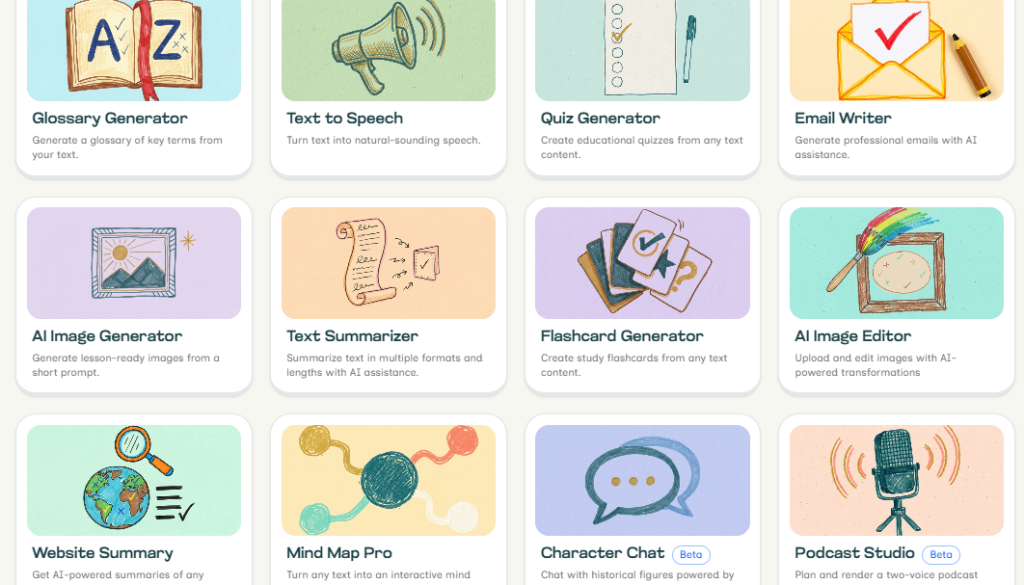
If you are eager to try generative AI to help with your workload but are worried about data privacy and school GDPR policies, we have great news. You can now sign up for the Good Future AI Toolkit at good-future.ai.

Created by the Good Future Foundation, this suite of AI tools is entirely free for educators. Crucially, it is DfE-backed, leveraging the Department for Education’s AI Content Store Advanced Support. This means the tools have been developed with a strict “privacy first” approach that adheres to the DfE’s GenAI Product Safety Framework.

Why we love it:

  • Zero Data Retention: Nothing you enter is saved, and no AI models are trained on your content, making it a completely risk-free space to experiment.
  • Practical Features: It includes purpose-built tools for UK teachers like a Quiz Generator, a Glossary Generator, and an AI Email Writer.
  • Peace of Mind: It removes the headache of wondering, “Am I allowed to put this into an AI?”

It will take about 30 seconds to sign up using the link below:

CLICK HERE TO GET STARTED

Item 3: Curriculum Ready: Common Sense Media AI Lessons

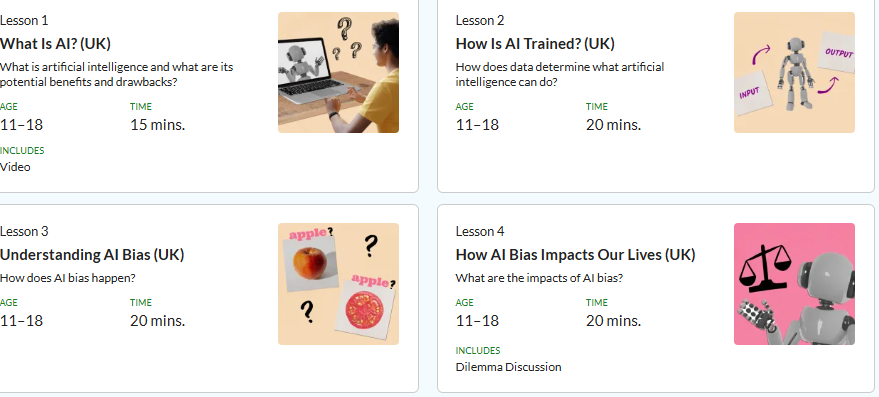
If you are looking for ready-made, high-quality materials to introduce AI to your students this term, Common Sense Media has exactly what you need. Aimed at years 7–13, these lessons can easily be used with Y6 as well.

They have developed a series of free AI Literacy Lessons that are incredibly useful to start the term. Designed to strengthen critical thinking, creativity, curiosity, and human connection, these lessons help students understand what AI is, how it works, and the ethical implications of using it.

The best part? The lessons are fully planned and can easily be written directly into your computing or PSHE curriculum for the year.

CLICK HERE TO ACCESS LESSONS

Item 4: Question of the Week

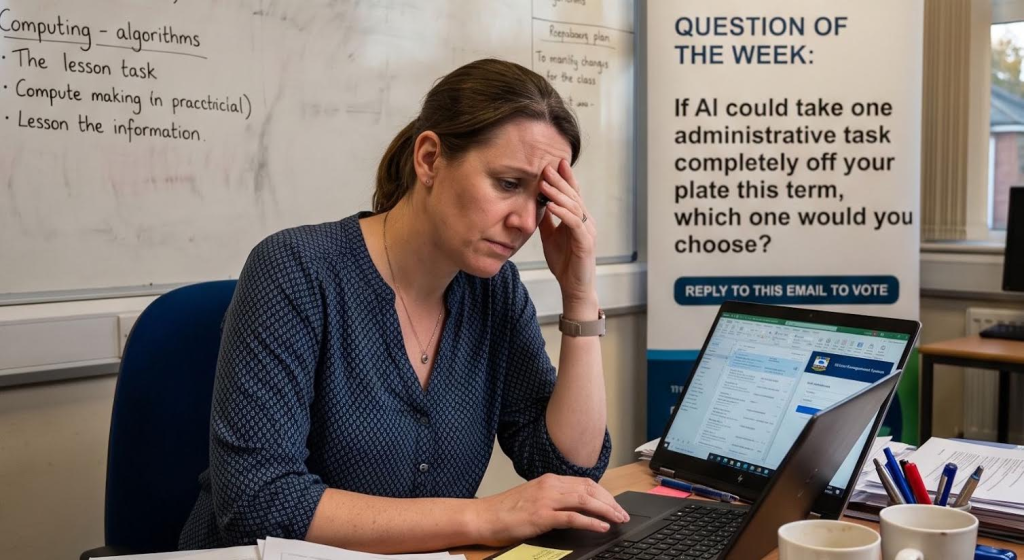
If AI could take one administrative task completely off your plate this term, which one would you choose?

Contact Us:

If you have any questions or suggestions please contact:

Steve Robert: [email protected]

AI - The Prompt, Front Page News, News

The Prompt: (Issue 8)

Steve Robert

Your AI Newsletter

Issue 8

Please share this newsletter with colleagues in your setting!

Welcome to Issue 8 of your weekly briefing on all things AI. As artificial intelligence continues to reshape the educational landscape, our mission is to ensure South Tyneside schools stay ahead of the curve.

Whether you are an AI novice or an AI expert, this is your weekly home for the tools and digital principles defining the future of education. Each week, we’ll deliver essential updates curated to reduce teacher workload and enhance learning across our South Tyneside community as safely as possible.

🛠️ AI Champions Work Group

Haven’t nominated an AI Champion for your school yet? Click the link below to access our nomination form:

👉 CLICK HERE TO NOMINATE (Please use the form link to submit)

  • Next Meeting: Wednesday 11th November 2026, 16:00–17:30
  • Venue: The Word
  • Contact: Julia Small to book a place at: [email protected]

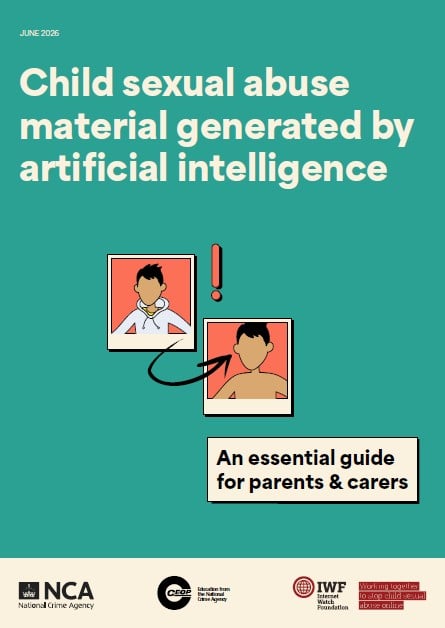
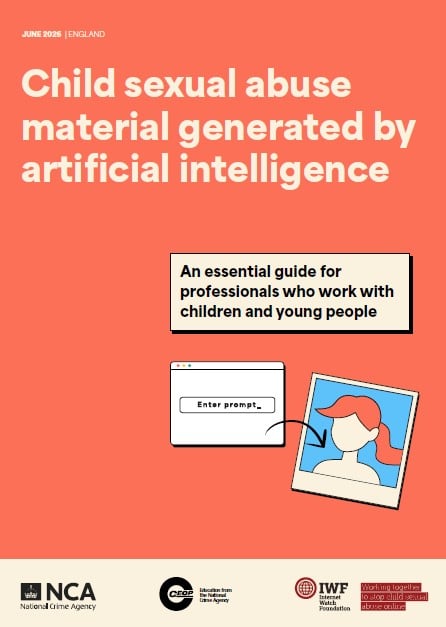
Item 1: AI-Generated Child Sexual Abuse Material: Guidance for Parents and Carers

CEOP and the Internet Watch Foundation (IWF) have released a vital new guide to help parents navigate the safeguarding risks of AI. The resource explains how AI can be misused to manipulate images of children and equips families with practical steps to reduce risks—such as reviewing privacy settings, auditing social media, and starting age-appropriate conversations about digital consent.

Access the full online guidance: Click Here to Access Online Guidance

There is also updated guidance for professionals, developed in collaboration with the IWF, providing essential information for all professionals working with children and young people on understanding and responding to AI-generated child sexual abuse material.

Download PDF Guides

Click on the images below to open and download the PDF versions.

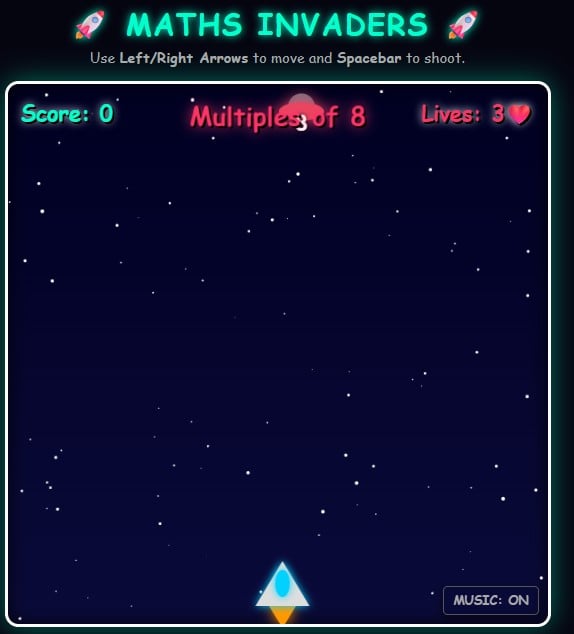
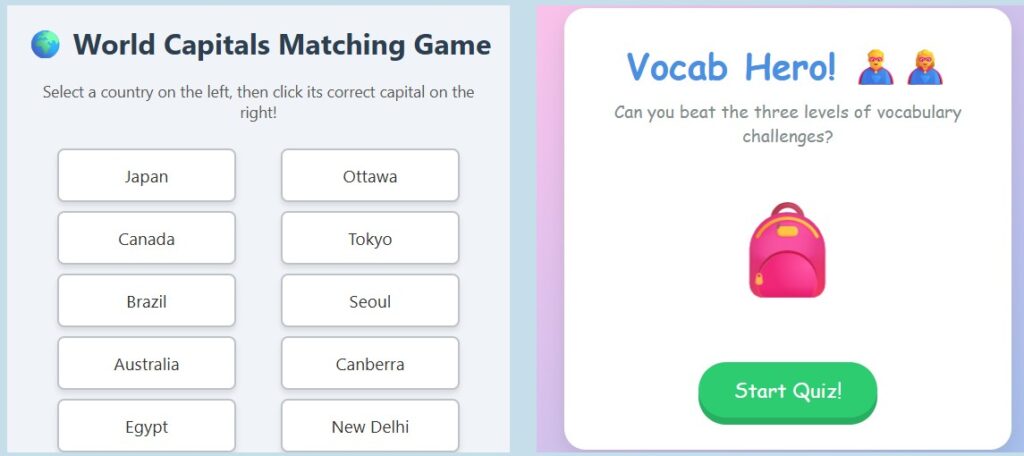
Item 2: Create Your Own Games and Apps Using Gemini

Ever wanted to create a custom game for your classroom, but didn’t know how to code? We’ve launched a brand new website showcasing how you can build interactive web games using Google’s Gemini—just by having a conversation!

From matching capitals to Year 2 vocabulary and Year 6 maths explorers, you can play our AI-generated games and even see the exact prompts we used to make them.

🚀 Click here to visit the AI Games Lab and start building!

Item 3: Netflix’s Queen Of Chess On What Schools Are Getting Wrong About AI

What can the greatest female chess grandmaster in history teach us about the future of AI in the classroom?

In a compelling new piece by Dan Fitzpatrick, Queen of Chess star Judit Polgár draws a striking parallel between the anxiety educators face today and the massive disruption the chess world experienced thirty years ago. Long before ChatGPT, chess was the first profession reshaped by AI, leaving players wrestling with the same fears of obsolescence teachers feel now. Having lived through this shift firsthand, Polgár offers a powerful warning and unique insights into what schools are getting wrong.

Click Here to Access The Article

Item 4: Question of the Week

🏝️ How are you using AI this summer, that is not school related?

We want to hear from you! Let us know how you are playing or planning with AI over the summer break.

Have a Great Summer Holiday! ☀️

Thank you for your incredible support and engagement with The Prompt this term. Have a restful, safe, and wonderful summer holiday, and we will see you next term!

Contact Us: If you have any questions or suggestions, please contact Steve Robert at [email protected].

AI - The Prompt, Front Page News, News

The Prompt: (Issue 7)

Steve Robert

Your AI Newsletter

Issue 7

Please share this newsletter with colleagues in your setting!

Welcome to issue 7 of your weekly briefing on all things AI. As AI continues to reshape the educational landscape, our mission is to ensure South Tyneside schools stay ahead of the curve. Whether you are an AI novice or an AI expert, this is your weekly home for the tools and digital principles defining the future of education.

Each week, we’ll deliver three or four essential updates—ranging from DfE policy shifts to time-saving classroom hacks—specifically curated to reduce teacher workload and enhance learning across our South Tyneside community as safely as possible.

🚀 AI Champions Work Group

Haven’t nominated an AI Champion yet? Click the link to access our nomination form:

👉 CLICK HERE TO NOMINATE

  • Next Meeting: Wednesday 11th November 2026, 16:00-17:30
  • Venue: The Word
  • Contact to Book: Email Julia Small at [email protected] to secure a place.

🌐 Item 1: Global Crackdown: The Under-16 Social Media & AI Ban

The momentum for youth digital bans has peaked. Following legislation in Australia, Indonesia, and Malaysia, the UK has announced a sweeping ban on social media for anyone under 16, set for full enforcement by Spring 2027.

The intersection with artificial intelligence is twofold:

  • The 18+ Rule for AI Companions: Regulators are looking past traditional feeds to target generative AI. The new rules strictly enforce an 18+ age minimum for AI romantic companions, roleplay bots, and “intimate functionalities” to prevent algorithmic manipulation and emotional dependency.
  • Enforcement via AI (Facial Estimation): To enforce the ban without hoarding passports, tech companies are turning to Highly Effective Age Assurance (HEAA). This relies heavily on AI facial age estimation—scanning a live selfie to verify a user’s age bracket without storing their identity.

The Catch: Critics and tech giants warn that the required AI face-scanning creates a massive privacy checkpoint for all internet users, while tech-savvy teens will likely bypass it entirely using VPNs or go to the darker parts of the web.

🧠 Item 2: Can Your Pupils Spot the AI Fake?

After last week’s Real or AI quiz from Britannica Education, we have curated some more excellent activities from other sources you may want to use with your pupils:

1. BBC Bitesize: Artificial Or Real?

Can you tell the difference between a real video or picture, or one that has been generated by artificial intelligence (AI)? Have a go and let’s see if you can spot the REAL from the AI!

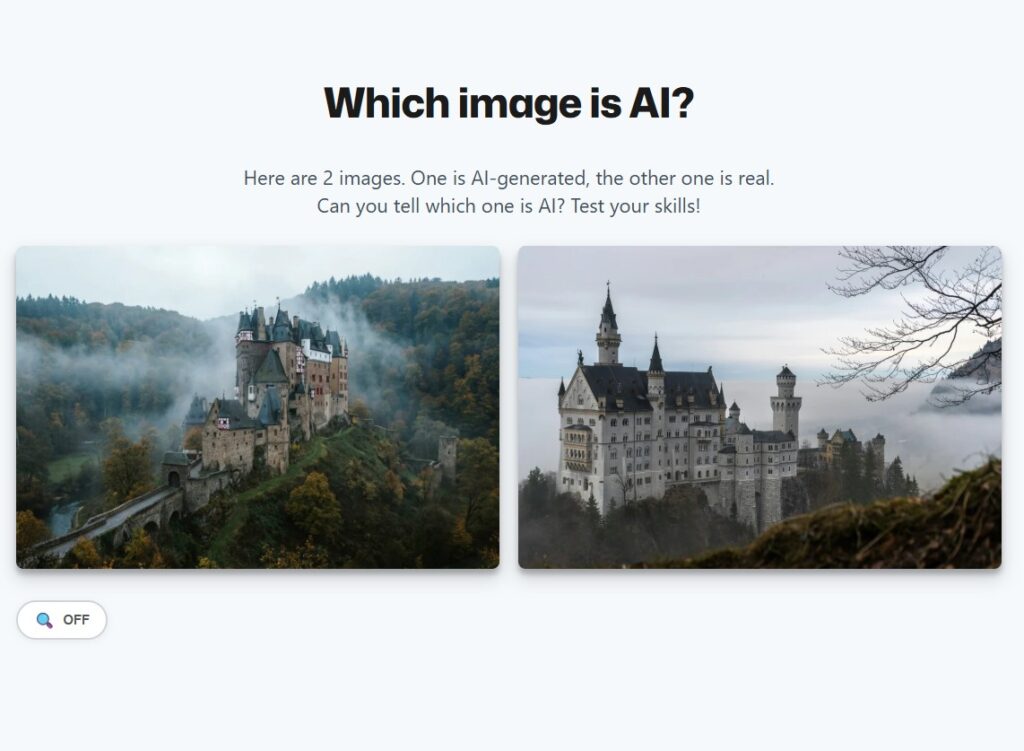
2. Sightengine: Which Image Is AI?

Here are 2 images. One is AI-generated, the other one is real. Can you tell which one is AI? Test your skills!

3. Google Arts & Culture Experiments

Google Arts & Culture offers incredible interactive experiments to test your AI literacy:

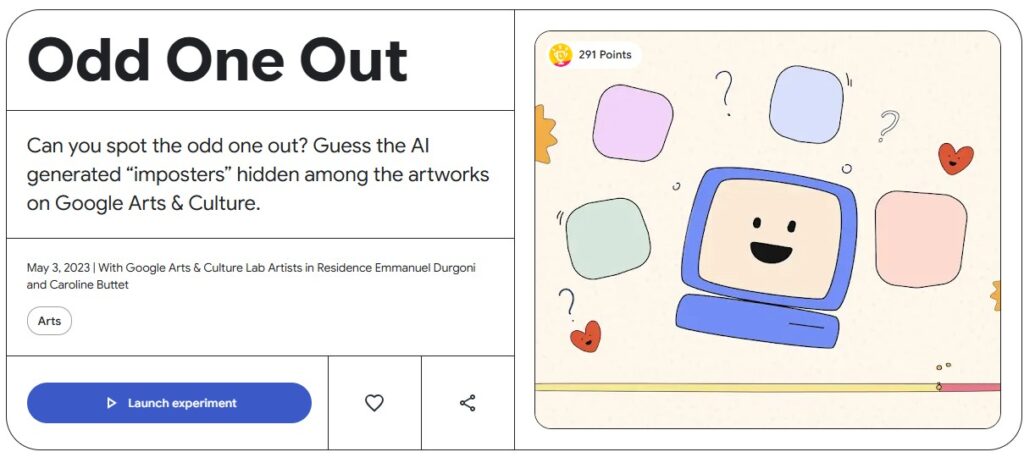
  • Odd One Out: Can you spot the odd one out? Guess the AI-generated “imposters” hidden among the artworks on Google Arts & Culture. One of these images is not like the other—it is created by Google AI.
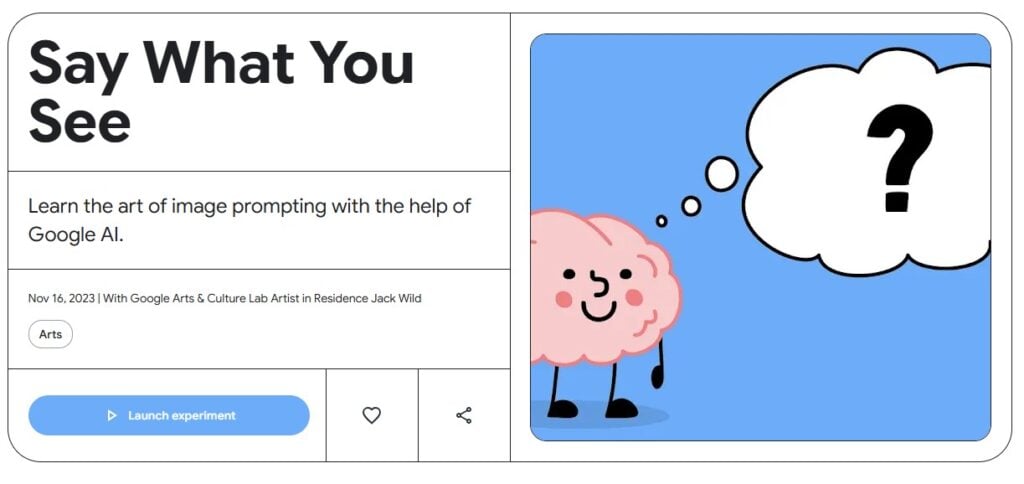
  • Say What You See: Learn the art of the prompt and improve your image-reading skills by looking at Google AI-generated images and describing what you see, in this experiment created by artist Jack Wild.

📬 Item 3: Food for Thought: The “Ghost in the Inbox”

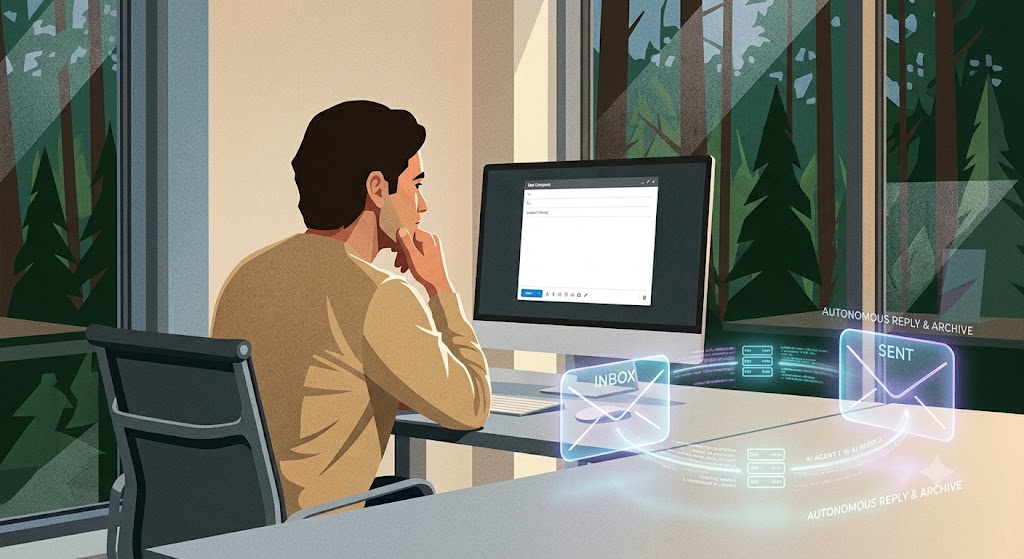
With the rise of advanced AI email agents, we are rapidly approaching a weird milestone: Within the next year, it is highly likely you will receive an email written entirely by an AI agent, which will then draft a reply and archive it—without either human ever knowing the exchange took place.

So the question is:

If two machines have a meeting in the woods and no human is around to read the transcript… does the meeting actually happen?

Drop a reply using our feedback form below and tell us if this sounds like a productivity paradise or a dystopian nightmare!

Contact Us

If you have any questions or further suggestions, please get in touch: 📧 Steve Robert: [email protected]

AI - The Prompt, Front Page News, News

The Prompt (Issue 6)

Steve Robert


Please share this newsletter with colleagues in your setting.

Welcome to Issue 6 of your weekly briefing on all things AI.


As Artificial Intelligence continues to reshape the educational landscape, our mission is to ensure South Tyneside schools stay ahead of the curve. Whether you are an AI novice or an AI expert, this is your weekly home for the tools and digital principles defining the future of education.

Each week, we’ll deliver essential updates—ranging from DfE policy shifts to time-saving classroom hacks—specifically curated to reduce teacher workload and enhance learning across our South Tyneside community as safely as possible.

📢 AI Champions Work Group: Join Us!

Haven’t nominated an AI Champion yet? There is still time to get your setting involved.

  • Nomination Form: CLICK HERE TO ACCESS
  • Next Meeting: Wednesday 11th November 2026, 16:00-17:30
  • Venue: The Word
  • Contact to Book a Place: Julia Small ([email protected])

🛠️ Item 1: People Can Tell You’re Using AI

The structure, the tone, the polish. It all gives it away.


Standard AI outputs often look overly rehearsed, perfectly balanced, and distinctly non-human. Here are 6 prompts designed to break the standard AI patterns and give your text an authentic, human voice:

1. The Real Person Rewrite


Prompt: “You are an editor with a sharp eye for writing that reads as constructed rather than spoken. Rewrite this the way someone who actually lived this experience would say it — rougher around the edges, more direct. Remove anything that feels rehearsed, over-built, or designed to sound impressive. Text: [paste].”

2. Thought Flow Correction


Prompt: “This isn’t a grammar fix — it’s a thinking fix. Rewrite this so the ideas move the way a real mind moves: uneven in places, punchy in others, occasionally slow. Disrupt any pattern where the writing feels too controlled or too evenly paced. Text: [paste].”

3. Pattern Breaker


Prompt: “You specialize in identifying the tells that expose AI-generated writing. Go through this and take them apart one by one. Mix up the structure, soften rigid phrasing, and make each word feel chosen by a person in real time — not produced by a pattern. Text: [paste].”

4. Voice Builder


Prompt: “You are building a voice that sounds like it belongs to one real person. Rewrite this so it carries a clear perspective — not the tone of a neutral observer trying to please everyone. Let actual opinions, small contradictions, and genuine shifts in tone come through naturally. Text: [paste].”

5. Make It Feel Like Something


Prompt: “Rewrite this with one thing in mind: when someone reads it, it should land. Keep everything that matters but remove anything that feels flat, calculated, or forgettable. It needs to sound like it came from someone who actually cares about what they’re saying. Text: [paste].”

6. The Believability Test


Prompt: “You are a reader who immediately distrusts writing that sounds too clean. Read through this sentence by sentence and rewrite anything that feels constructed, over-corrected, or too precise. The result should read like something a real person said out loud without second-guessing every word. Text: [paste].”

🚨 Item 2: Safeguarding & Online Safety – The “Single Source” Trap

Following on from the insights shared regarding Google Search’s “AI Mode,” we need to address a growing safeguarding concern across digital literacy: digital passivity.

Because modern conversational AI search engines deliver a single, highly confident answer instead of a diverse list of websites, pupils are losing the natural habit of comparing multiple sources. If children are trained to accept a single AI output as absolute truth, they become highly vulnerable to misinformation and algorithmic bias.

🚨 Actionable Safeguarding Guidance for Settings
  • Active Training: We must move beyond passive internet filtering. Schools need to explicitly teach young learners to cross-examine AI answers rather than taking them at face value.
  • The 3-Point Checklist: Encourage staff to display these three questions next to classroom computers:
  1. Who said it? (Does the AI cite a reliable source?)
  2. Double-check: (Can we find the same fact on a trusted site like BBC Bitesize?)
  3. Is it balanced? (Is the AI only telling us one side of the story?)

🔍 Item 3: Can Your Pupils Spot the AI Fake?

Britannica Education: Real or AI Quiz: Can you tell the difference?


To help you tackle this digital literacy challenge head-on, we have highlighted a fantastic, zero-prep whiteboard starter activity for your next lesson!

Instead of trying to source your own examples, you can use the brilliant Britannica Education ‘Real or AI?’ Quiz. It features excellent side-by-side visual comparisons designed to put your pupils’ critical thinking skills to the test.

Click the image or use this link to load the starter quiz.

The resource also features a useful instructional video detailing how to execute a Google reverse image search alongside top tips for spotting AI-generated imagery.

📝 We Want Your Feedback!

We really would appreciate your feedback on how these insights are working in your classrooms. Please take a moment to fill out our feedback form:

👉 AI Newsletter Feedback Form


Please feel free to use the form to add any comments, suggestions, or examples of how AI is currently being used in your setting. You can choose to remain completely anonymous, and you can even upload files if you think they would be helpful to share with the wider community. Your input plays a key role in shaping our future updates.


Contact Us

If you have any specific questions or suggestions, please contact Steve Robert directly at: [email protected]

AI - The Prompt, Front Page News, News

Address

ICT in Schools Team

OpenZone@The Word

45 Market Place

South Shields

NE33 1JF

Contact Us

ICT In Schools
Open Zone @ The Word
45 Market Place
South Shields
NE33 1JF

0191 424 6336

[email protected]

Website Accessibility Statement | South Tyneside Apple RTC Twitter Feed

School website powered by Realsmart Logo