
Safeguarding Spotlight: Netflix’s ‘Adolescence’ & Your 2026 Parent Guide to Online Safety
The digital world evolves at lightning speed. From trending television shows that push boundaries to shifting social media spaces, keeping our children safe requires continuous conversations.
At ICT in Schools, we are committed to providing you with the tools, advice, and resources needed to navigate these contemporary challenges confidently.
🎬 Trending Insight: Netflix’s Adolescence – What Parents Need to Know

The powerful British drama Adolescence on Netflix has sparked massive nationwide conversation. Following the story of a 13-year-old boy arrested on suspicion of murdering a classmate, the series uses four immersive, one-shot episodes to explore the intense emotional aftermath affecting the accused boy, his family, the police, and the school community.
While the murder itself is only shown briefly via distant CCTV footage, the show addresses highly mature and urgent themes that mirror real-world digital risks:
-
Cyber bullying & Group Harassment: The plot heavily hinges on how social media—specifically Instagram—is weaponized within peer groups.
-
Image Sharing: It directly addresses the devastating consequences of sharing explicit photos online without consent.
-
Toxic Masculinity & Aggression: The main character exhibits concerning behavior, anger issues, and unhealthy attitudes toward women.
📓 Essential Reading & Support Links:
If your teenager is watching this series, or if you want to understand how to handle these heavy themes at home, please explore these expert breakdowns:
-
🔗 Read the Common Sense Media Parents Guide to Adolescence for a complete age-rating and content breakdown.
-
🔗 Explore the TES Analysis on the Show’s Portrayal of Teachers to understand the school community context.
-
🔗 Get Mental Health Foundation Advice for parents worried about the complex emotional issues raised in the show.
🗣️ Keeping Your Child Safe Online: The Power of Conversation

Talking to your family is key to keeping them safe online. As soon as your child starts accessing the internet, talk to them about what they are seeing, reading, and who they are communicating with.
As they grow, keep the conversation going! It is much easier to start good habits when they are young, and if communication channels remain open, they will always know it’s okay to come to you for help.
📝 Try This Together:
Ask your child what sites, apps, and games they use. Write a list and look at them together. Talk to your child about what you think is appropriate, and remind them that this may be different for other families. Be genuinely interested in their online world—it matters to them. For many young people, the online world can feel just as important as real-life friendships and serves as a valuable way of staying connected.
🛠️ Free Tools & Digital Safety Hubs
Take advantage of the comprehensive platforms provided to our community to monitor, protect, and guide your household’s internet habits.
🌐 The South Tyneside Online Safety Hub
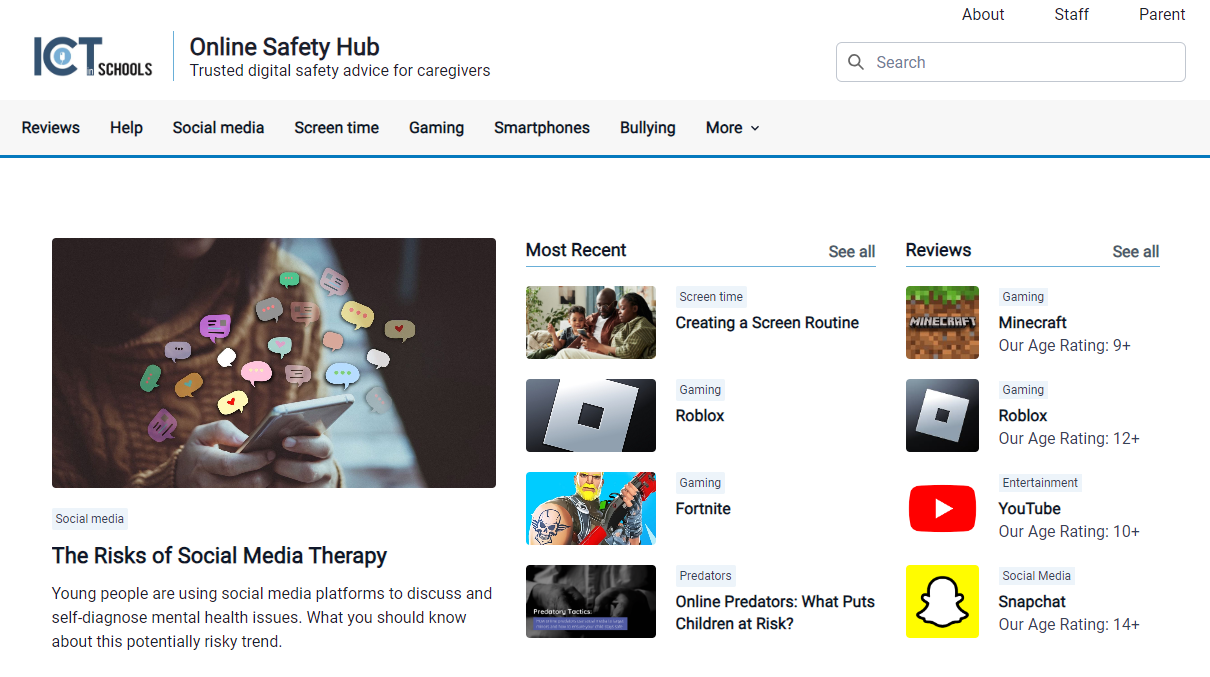
Our Online Safety Hub is fully live and updated for 2026! Access it entirely for free to find expert advice on screen time management, gaming platform safety, and app breakdowns: 👉 Access the Online Safety Hub Here
📱 Free Access to Qustodio Parental Controls
We are proud to offer parents a free Qustodio account, facilitating premium parental control features on individual devices completely free. Gain more visibility into your child’s online world: block dangerous content, introduce screen-free schedules, receive alerts for inappropriate material, and keep track of location safety.
📌 Top 10 E-Safety Tips for Families
-
Set a Good Example: Model healthy digital and screen behaviour yourself.
-
Monitor Screen Time: Establish transparent screen limits for the entire family.
-
Keep Screens Visible: Maintain central device areas—no phones in bedrooms overnight.
-
Choose Kindness: Encourage your child to be constructive on social media, not anti-social.
-
Own Your Digital Footprint: Teach your child that what goes online stays online forever.
-
Don’t Overshare: Protect your family’s personal details and privacy.
-
Audit Friend Lists: Know exactly who your children are interacting with online.
-
Lock Down Settings: Teach your children to keep location tracking and account visibility strictly private.
-
Deploy Safeguards: Always utilise parental controls or monitoring applications across home devices.
-
Communicate Constantly: Reach a mutual agreement on what works best for your household.
📅 Latest Training Sessions & Learning Resources
🆕 May 2026 Parent E-Safety Presentation
Did you miss our live session this term? Download the official companion guide slide pack from our latest 2026 Parent Session below:
Parent E-safety Videos
We have produced a series of family friendly videos to help you navigate the online world and steer your family to safety.
Browse our custom video masterclass series designed to step-by-step steer your family to internet safety. Click the video play blocks below to watch:
🎬 Episode 1 – Keeping Children Safe Online
🎬 Episode 2 – Discover the Internet Together
🎬 Episode 3 – Gaming and Gambling
🎬 Episode 4 – Rules for the Internet
🎬 Episode 5 – Live Streaming
🎬 Episode 6 – Hype or Hoax?
🎬 Episode 7 – Reporting Harmful Content

🎬 Episode 8 – Social Networking
🎬 Episode 9 – Screen Time
🎬 Episode 10 – Setting Parental Controls
🏛️ Trusted Partner Resources
Looking for more specialised data? Explore these excellent external tools designed for non-technical parents and carers:
-
🛡️ Internet Matters – Comprehensive, age-specific advice guides from toddlers to teens.
-
🤝 UK Safer Internet Centre – Online safety tips, direct advice, and hotlines for reporting digital issues.
-
📘 The Non-Techy Guide to Internet Safety – A brilliant, jargon-free manual covering the core dangers of the web, setting up simple home rules, and maximising default router filters.